


In the fast-paced world of hospitality, managing staff schedules can feel like conducting a chaotic orchestra. A missed shift, an overstaffed lunch service, or a last-minute schedule change can disrupt the entire flow of service, impacting both your team’s morale and your bottom line. Turnover rates in the restaurant industry remain exceptionally high, averaging around 75% to 100% for full-service restaurants and often exceeding 130% for quick-service establishments, according to Paytronix. Inefficient scheduling is a major contributor to employee burnout and operational friction.
Moving beyond messy spreadsheets and confusing group chats is not just a convenience; it is a strategic necessity. The right platform transforms scheduling from a daily headache into a powerful tool for optimizing labor costs, ensuring compliance with complex labor laws, and empowering your staff with flexibility and clear communication. Finding the best restaurant scheduling software for your specific needs is crucial for building a stable, happy, and efficient team.
This guide will walk you through the top 12 software options available today, providing an honest assessment of their specific strengths, ideal use cases, and practical limitations. Each review includes screenshots and direct links, helping you compare features for shift management, labor forecasting, point-of-sale (POS) integrations, and mobile app functionality. Our goal is to equip you with the detailed analysis needed to select the perfect scheduling partner for your operation, whether you are a single-unit cafe or a growing multi-unit brand.
1. 7shifts
7shifts has cemented its place as one of the best restaurant scheduling software options by focusing exclusively on the hospitality industry. Its platform is designed from the ground up to address the unique pain points of restaurant managers, from creating sales-driven schedules to managing daily operations. The user interface is intuitive, reducing the learning curve for managers and making it easy for staff to adopt.
The platform’s key strength lies in its robust POS integrations, which pull real-time sales data to power its labor forecasting tools. This allows managers to build optimized schedules that align staffing levels with projected demand, controlling labor costs without sacrificing service quality. The auto-scheduler feature further streamlines this process, generating compliant and efficient schedules with a single click. By leveraging this technology, operators can avoid many of the most common scheduling mistakes that lead to overstaffing and high turnover.
Key Features and Pricing
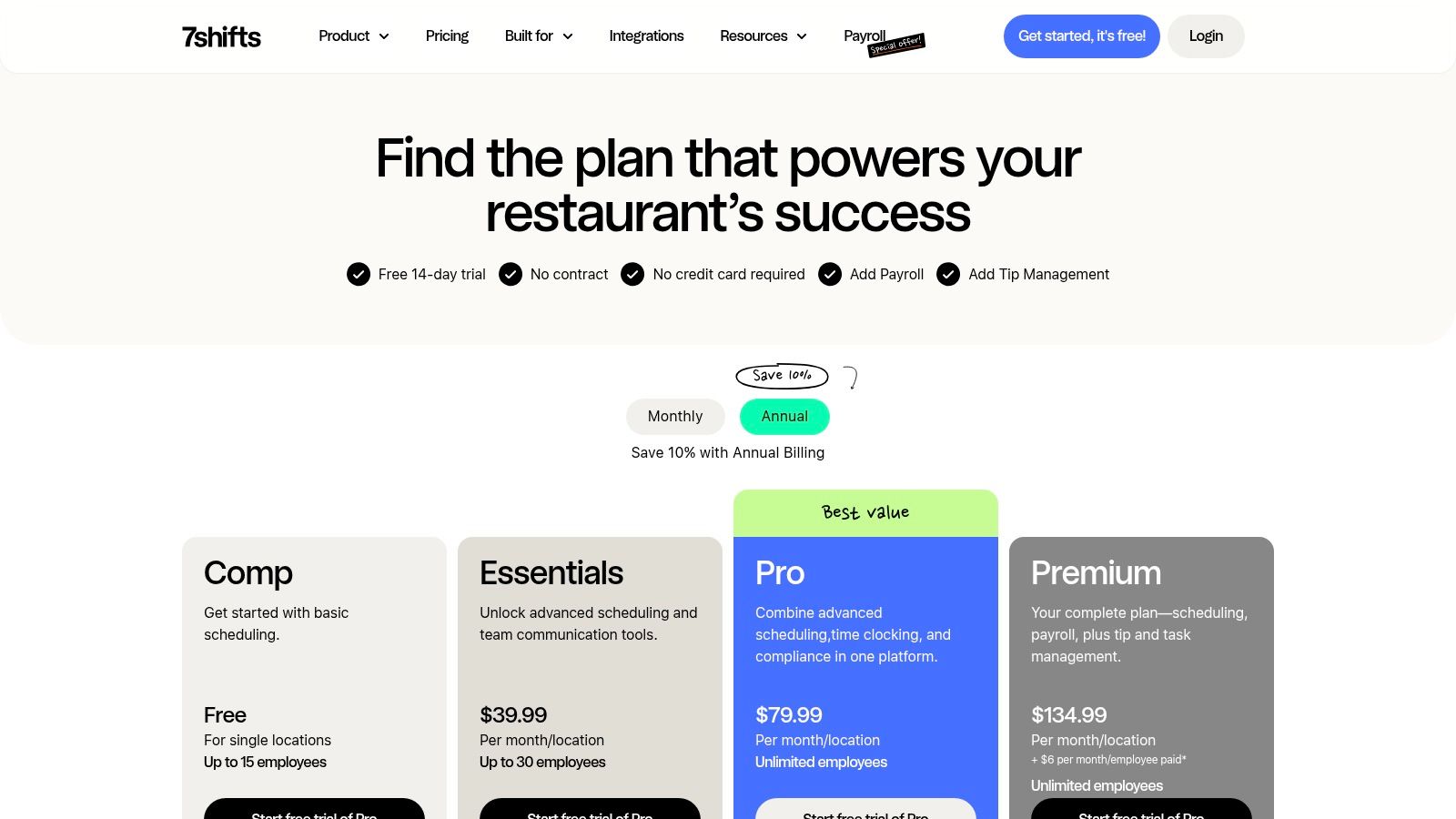
7shifts offers a tiered pricing model that caters to different operational needs, including a free plan for single locations with up to 15 employees.
- Comp (Free): Basic scheduling, time-off requests, and one-way announcements.
- Essentials ($44.99 CAD/month per location): Advanced scheduling, team messaging and communication tools, basic time clocking, and customizable permission settings.
- Pro ($89.99 CAD/month per location): Track accruals and balances for PTO, labor compliance, and labor cost tools, advanced time clocking tools, set and track wages for different roles, employee performance management, and retention tools, and manager log book.
- Premium ($149.99 CAD/month per location): Tip management, task management, permission templates for faster profile creation, advanced hourly labor forecast, advanced labor recommendations, advanced operational insights, and reporting.
Add-on modules like Tip Pooling, the Manager Log Book, and Task Management are available to enhance functionality but will increase the overall subscription cost.
Pros & Cons
- Pros: Deep restaurant-specific features, excellent POS and payroll integrations, strong compliance and communication tools, and scalable pricing.
- Cons: Key features like auto-scheduling are gated behind higher-priced tiers, and the cost can add up quickly with multiple add-ons.
Website: www.7shifts.com/pricing
2. When I Work
When I Work has gained popularity as a versatile employee scheduling app well-suited for the fast-paced environment of cafes and smaller restaurants. Its primary strength is a user-friendly mobile experience, which simplifies scheduling, communication, and time tracking for both managers and staff on the go. The platform is designed for rapid deployment, allowing small teams to get up and running quickly without a steep learning curve.
The platform distinguishes itself with a per-user pricing model, which can be highly cost-effective for restaurants with a small, core team. Features like OpenShifts and easy shift swaps empower employees to manage their own availability, reducing the administrative burden on managers. While it offers robust general scheduling tools, some of the more advanced, restaurant-specific functionalities like detailed labor forecasting and POS integrations are reserved for higher-tier plans.
Key Features and Pricing
When I Work uses a straightforward per-user pricing model, making it predictable for growing teams.
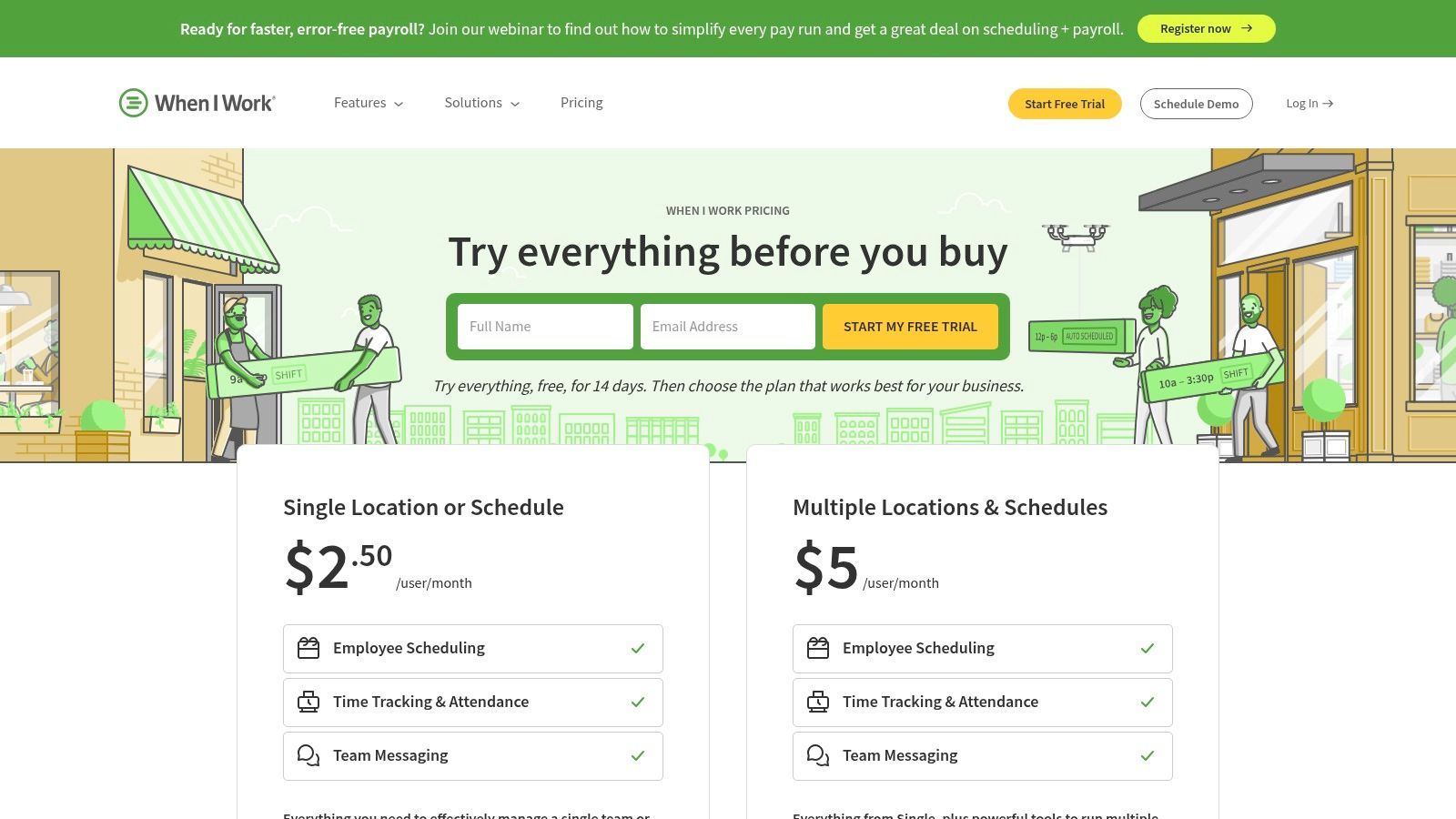
- Single Location or Schedule ($2.50/user per month): Includes scheduling, team messaging, time-off management, and shift swapping.
- Multiple Locations & Schedules ($5.00/user per month): Adds multi-location support, advanced scheduling tools, and time tracking features.
An on-demand pay feature (Gusto) is also available as an add-on to any plan, allowing employees early access to earned wages.
Pros & Cons
- Pros: Low per-user entry price suits small teams, quick to deploy with strong mobile applications, and excellent team communication features.
- Cons: Per-user billing can become more expensive than flat per-location options as a team grows, and some key restaurant features require higher tiers.
Website: www.wheniwork.com/pricing
3. Homebase
Homebase has carved out a niche as one of the best restaurant scheduling software options by offering a comprehensive, all-in-one HR and team management toolkit. While many platforms focus solely on scheduling, Homebase extends its functionality to include time tracking, hiring, team communication, and even payroll. This integrated approach is particularly appealing to independent restaurant owners who want to consolidate their tech stack and manage multiple operational needs from a single dashboard.
The platform’s standout feature is its powerful free tier, which provides robust scheduling, time clock, and communication tools for a single location with unlimited employees. This makes it an incredibly accessible starting point for small cafes or new restaurants. As an operation grows, Homebase scales with paid plans that unlock advanced scheduling, labor forecasting, and deeper HR features. This model allows operators to invest in more powerful tools as their needs evolve. This holistic system simplifies the complex task of how to manage restaurant staff by centralizing key functions.
Key Features and Pricing
Homebase offers several plans, including a free option and add-on services that allow for customization.
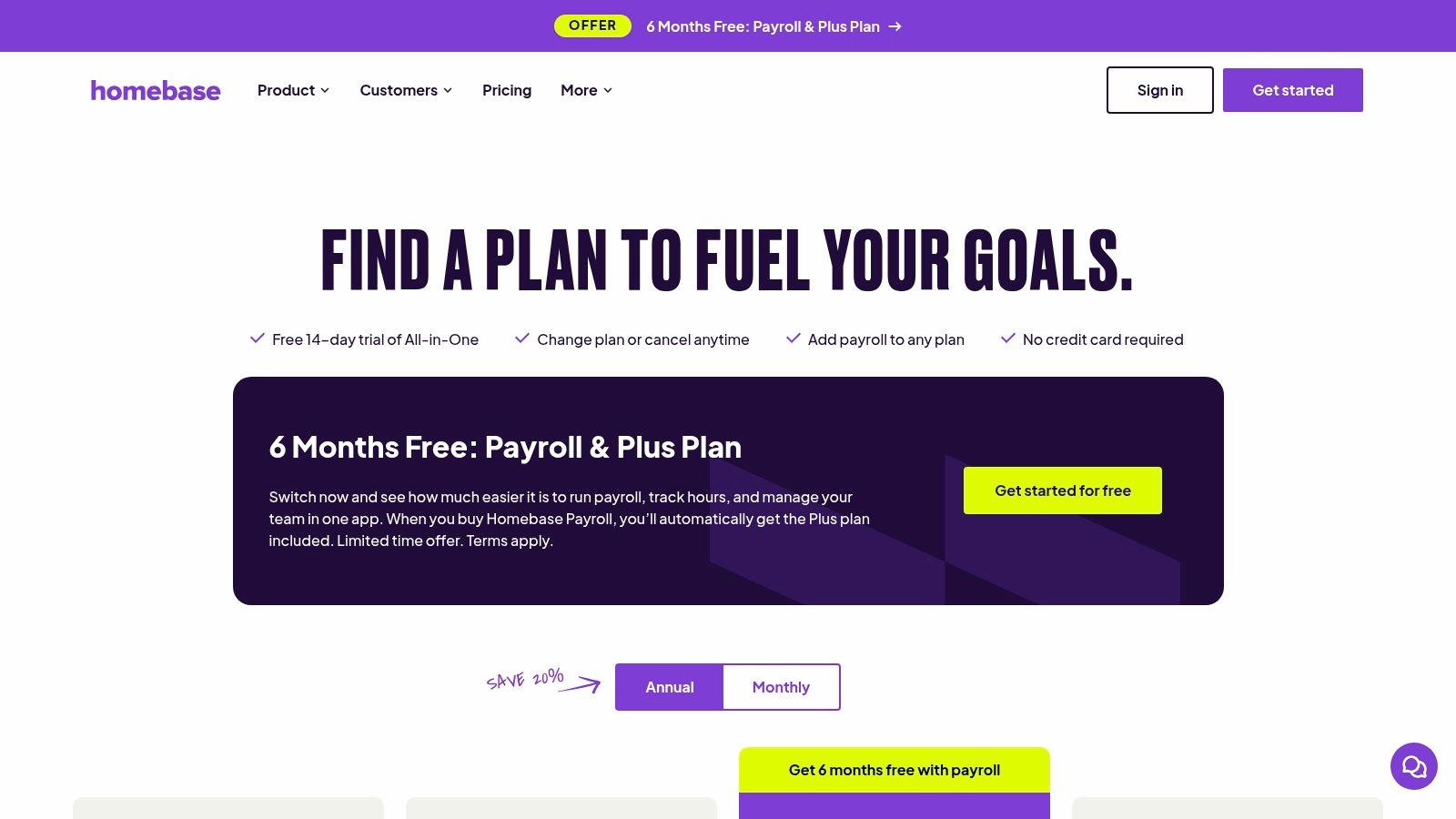
- Basic (Free): Scheduling and time clocks, employee availability, and point-of-sale integration.
- Essentials ($30/month per location): Advanced scheduling, advanced time tracking, and team communication.
- Plus ($70/month per location): AI-powered scheduling assistant, PTO and time-off controls, departments, and permissions.
- All-in-One ($120/month per location): Adds new hire onboarding, labor law alerts, and dedicated HR support.
Optional services like Payroll, Tip Manager, and Background Checks can be added to any plan for an additional fee.
Pros & Cons
- Pros: Excellent free starter tier for small businesses, all-in-one platform reduces the need for multiple vendors, and a simple, user-friendly interface.
- Cons: Most advanced labor optimization and compliance features are locked in higher-priced plans, and the cost can increase significantly with add-on services.
Website: www.joinhomebase.com/pricing
4. Sling (by Toast)
Sling, now part of the Toast ecosystem, positions itself as a powerful yet accessible scheduling and team communication platform. Its standout feature is an exceptionally generous free plan, making it an ideal entry point for independent restaurants or small businesses looking to upgrade from spreadsheets. The platform balances core scheduling functionality with robust tools for internal communication, creating a centralized hub for daily operations.
The interface is clean and user-friendly, prioritizing ease of use for managers creating schedules and for staff interacting with their shifts. Features like shift templates, open shifts, and seamless shift swaps empower employees and reduce the administrative load on managers. For restaurants already using Toast POS, the integration creates a more connected experience, particularly when it comes to time tracking and payroll preparation, making Sling a strong contender for the title of best restaurant scheduling software for Toast users.
Key Features and Pricing
Sling’s pricing is straightforward and based on a per-user model, which is a major draw for businesses with fluctuating staff numbers.
- Free: Unlimited scheduling, shift swaps, time-off requests, and basic communication for unlimited employees and locations.
- Premium ($2/month per user): Adds labor cost management, overtime tracking, and reporting on labor as a percentage of sales.
- Business ($4/month per user): Includes advanced features like a time clock kiosk, auto-scheduling, advanced reporting, and compliance tools.
Sling’s fair billing policy ensures you only pay for active users each month, providing flexibility for seasonal businesses.
Pros & Cons
- Pros: Robust free plan that is sufficient for many small operations, simple and affordable per-user pricing, and strong team communication features.
- Cons: Advanced reporting and critical compliance tools are locked behind the highest-priced tier, and its feature set can feel less specialized for complex restaurant needs compared to industry-exclusive platforms.
Website: www.getsling.com/pricing
5. Toast Scheduling (Toast POS)
For restaurants already embedded in the Toast ecosystem, Toast Scheduling offers the significant advantage of native integration. This platform is not a standalone solution but a component of the comprehensive Toast POS system, designed to sync schedules, time tracking, and labor data seamlessly. This eliminates the need for manual data entry between systems, providing managers with a unified dashboard for controlling labor costs and operational efficiency.
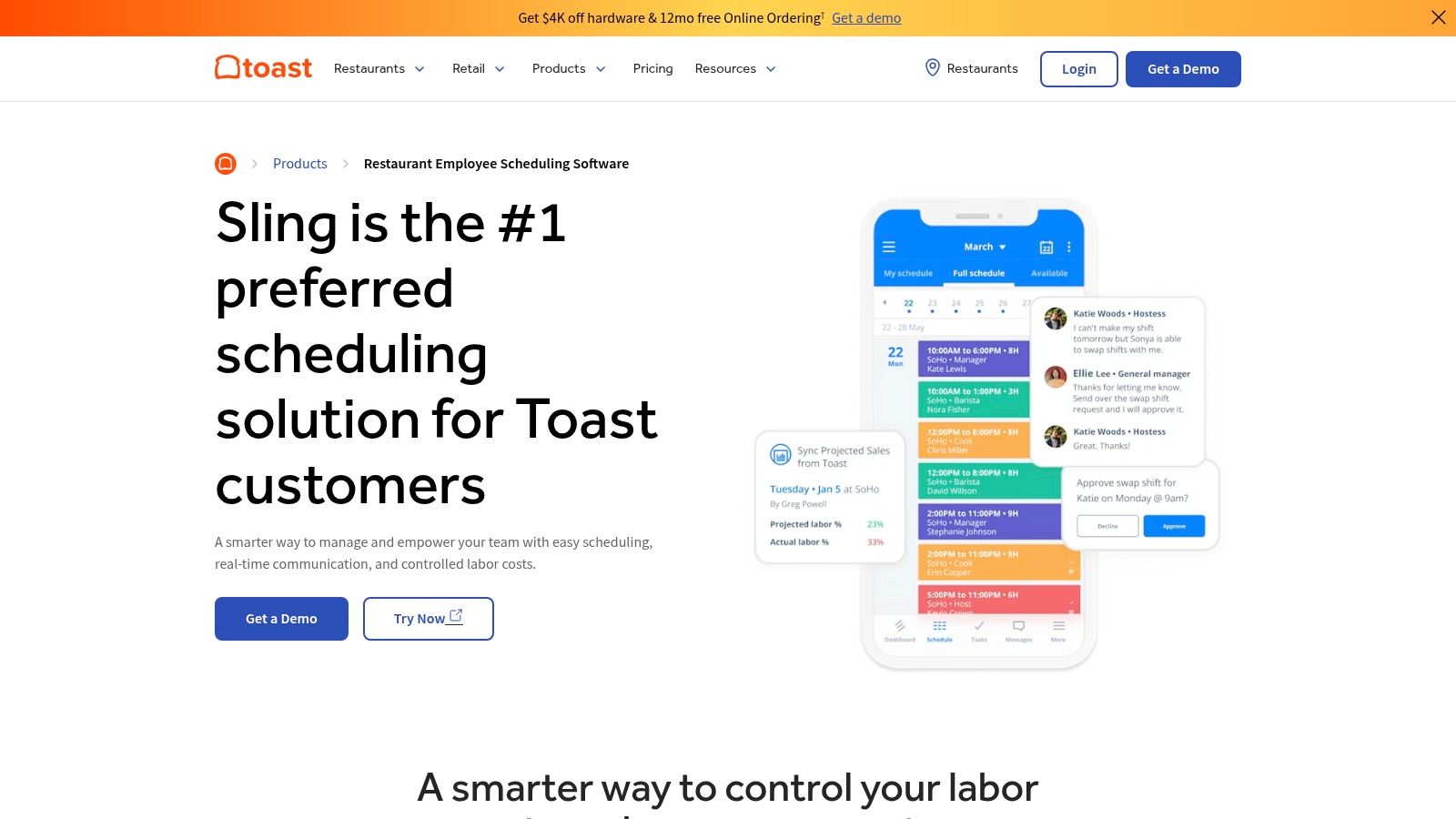
The primary strength of Toast Scheduling is its ability to pull real-time sales and labor data directly from the POS. This allows for more accurate labor cost reporting and helps managers make informed scheduling decisions based on historical performance. The platform includes essential features like shift swaps, time-off requests, and automated reminders, centralizing communication and schedule management. By keeping scheduling within the same system used for sales and payroll, operators can better understand the benefits of switching from pen-and-paper methods, as detailed in this analysis of manual vs. automated scheduling.
Key Features and Pricing
Toast Scheduling is integrated into Toast’s broader POS and restaurant management packages. Pricing is typically bundled with the overall Toast subscription, and feature availability can depend on the plan.
- Scheduling & Team Communication: Create, publish, and share schedules. Includes shift swaps, time-off requests, and in-app messaging.
- POS Integration: Automatically syncs employee hours, sales data, and labor reports.
- Labor Reporting: Provides insights into labor costs as a percentage of sales directly within the Toast platform.
- Mobile Access: Employees can view schedules, request time off, and swap shifts via the Toast Team mobile app.
Pros & Cons
- Pros: Seamless, native integration with Toast POS and Payroll, provides a single source of truth for sales and labor data, and simplifies the tech stack for existing Toast customers.
- Cons: Best value is realized only if you are already a Toast POS user, and core scheduling features may be less robust than specialized, standalone competitors.
Website: www.pos.toasttab.com/products/restaurant-employee-scheduling-software
6. HotSchedules (by Fourth)
HotSchedules, now part of the Fourth platform, is an enterprise-grade workforce management suite built for the complexities of multi-unit restaurant brands and large-scale hospitality operations. It has long been a dominant force in the industry, recognized for its powerful, data-driven approach to scheduling and labor management. The platform is less of a simple scheduler and more of a comprehensive command center for optimizing labor costs across an entire organization.
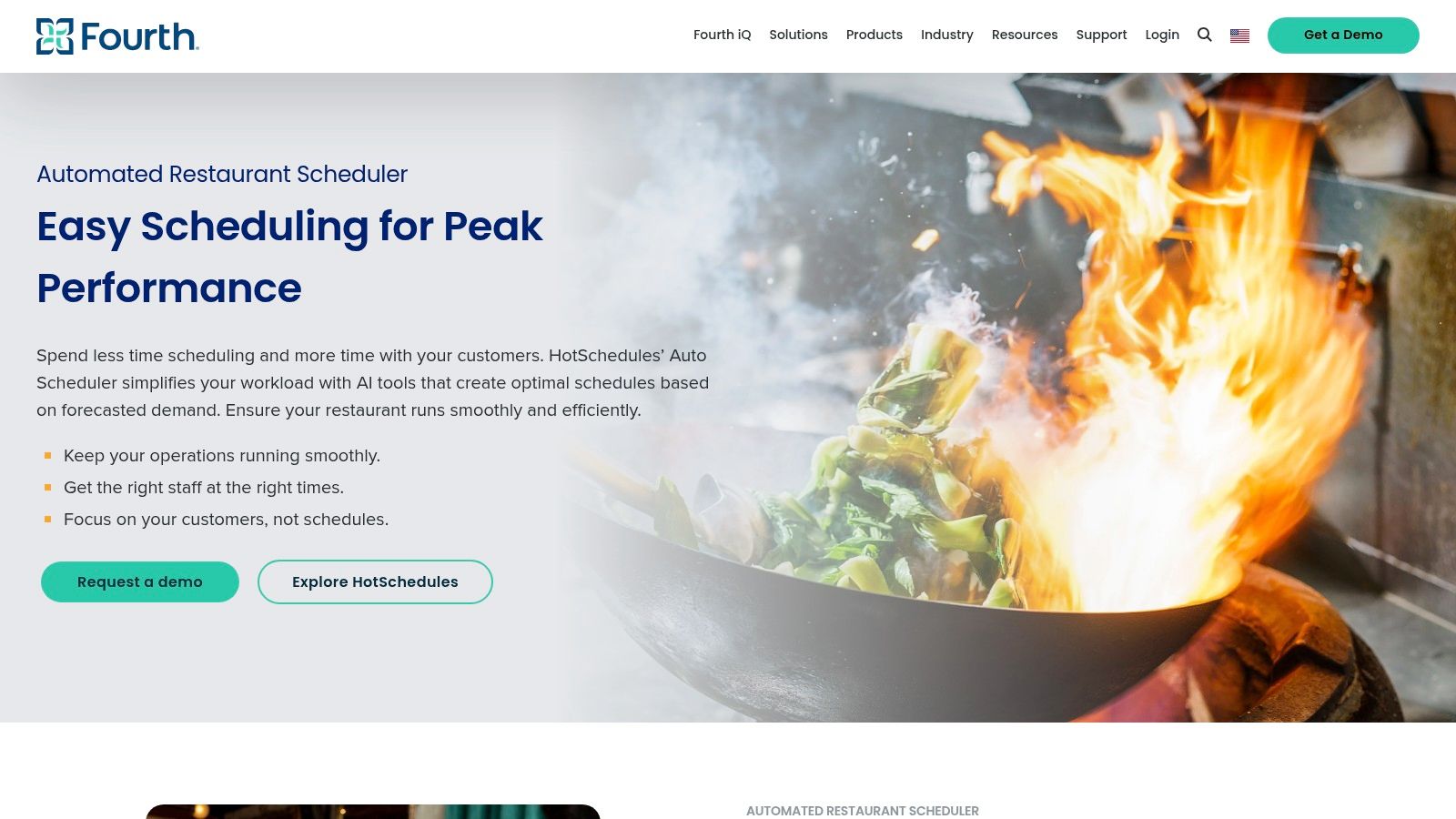
The core strength of HotSchedules lies in its sophisticated, AI-powered labor forecasting. The system analyzes historical sales data, local events, and even weather patterns to predict demand with impressive accuracy. This allows it to generate highly optimized, automated schedules that align staffing with anticipated traffic, helping large restaurant groups control their biggest expense. Its deep integration into Fourth’s broader ecosystem of inventory and operations tools provides a holistic view of restaurant performance, making it a powerful choice for established brands seeking a robust, all-in-one solution.
Key Features and Pricing
HotSchedules is an enterprise solution, and its pricing is provided by quote only, tailored to the specific needs and scale of the business. It is not designed for small, single-location operators.
- AI Labor Forecasting: Uses sales, weather, and local events for demand prediction.
- Automated Scheduling: Creates optimized schedules and templates at scale for multi-unit brands.
- Compliance Tools: Manages complex labor laws, overtime, and break rules across different regions.
- Integrated Workforce Suite: Connects scheduling with Fourth’s full stack of payroll, inventory, and HR products.
Pros & Cons
- Pros: Exceptional forecasting and automation for complex, multi-location operations; a proven, reliable platform used by major U.S. restaurant groups; and provides a holistic view when combined with other Fourth products.
- Cons: Pricing is quote-based and typically higher than SMB-focused tools, and the implementation and training effort can be significant for smaller organizations.
Website: www.fourth.com/solution/workforce-management-software/automated-restaurant-scheduler
7. Deputy
Deputy is a versatile and powerful scheduling platform designed for shift-based workforces, making it a strong contender for the best restaurant scheduling software. While not exclusively for hospitality, its comprehensive feature set addresses the core needs of restaurant managers, particularly those operating in regions with complex labor laws. The platform is known for its robust compliance tools and its ability to scale from a single cafe to a multi-unit enterprise.
The platform’s standout feature is its powerful wage and hour compliance engine, which helps managers build schedules that adhere to fair workweek rules, overtime regulations, and mandated break policies. Its AI-powered auto-scheduling can generate compliant and cost-effective schedules based on sales forecasts or other demand signals. This focus on compliance provides a significant safety net for operators, helping them avoid costly penalties while ensuring fair treatment for their staff.
Key Features and Pricing
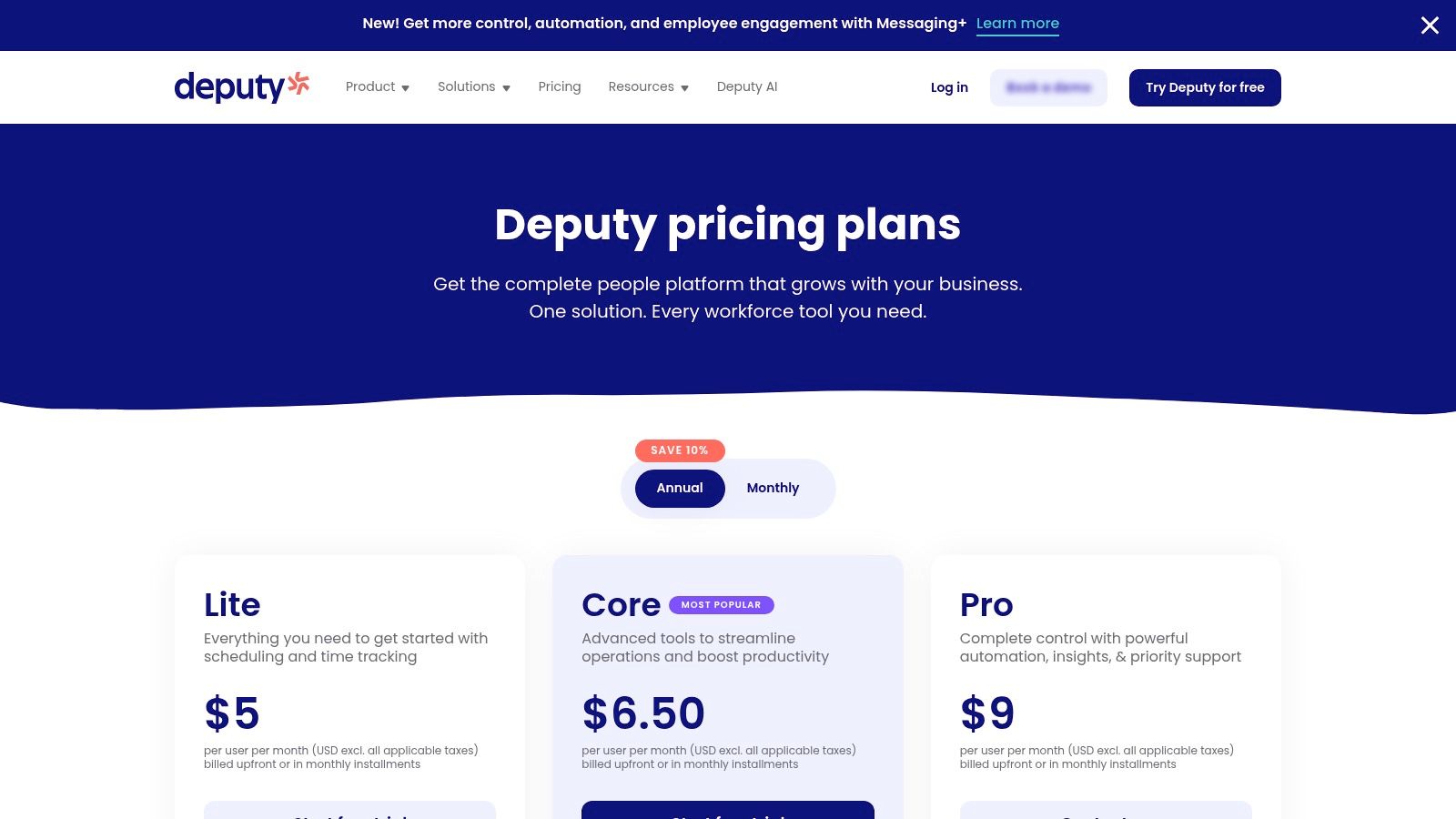
Deputy uses a per-user pricing model, which can be cost-effective for smaller teams but may become expensive for restaurants with a large, fluctuating staff.
- Lite ($5.50/user/mo): Includes scheduling, shift swapping, and basic reporting.
- Core ($7.25/user/mo): Focuses on advanced scheduling, timesheets, and time tracking.
- Pro ($10/user/mo): Custom access levels, advanced timesheets, location hierarchies, and more.
- Enterprise (Custom Pricing): Tailored for larger businesses with advanced demand planning, single sign-on (SSO), and custom roles.
Pros & Cons
- Pros: Excellent U.S. labor law compliance features, strong auto-scheduling and forecasting tools, and scales effectively for growing businesses.
- Cons: The per-user pricing model can be more expensive than per-location plans for restaurants with large teams. Some key features are only available in the Premium tier.
Website: www.deputy.com/pricing
8. Schedulefly
Schedulefly distinguishes itself with a philosophy of simplicity, making it one of the best restaurant scheduling software choices for independent operators who value ease of use over complex features. The platform is intentionally designed to be straightforward, focusing on core scheduling and communication needs without overwhelming users with unnecessary tools. Its interface is clean and exceptionally user-friendly, ensuring that both managers and staff can adopt it with virtually no training.
The platform’s strength is its direct approach to scheduling. Managers can create and post schedules in minutes, and staff receive instant notifications via text and email. It handles time-off requests, manages staff availability, and includes a communication hub for team messages. This focus on the essentials makes it an ideal solution for restaurants that do not need advanced labor forecasting or deep POS integrations, prioritizing clear communication and fast schedule deployment instead.
Key Features and Pricing
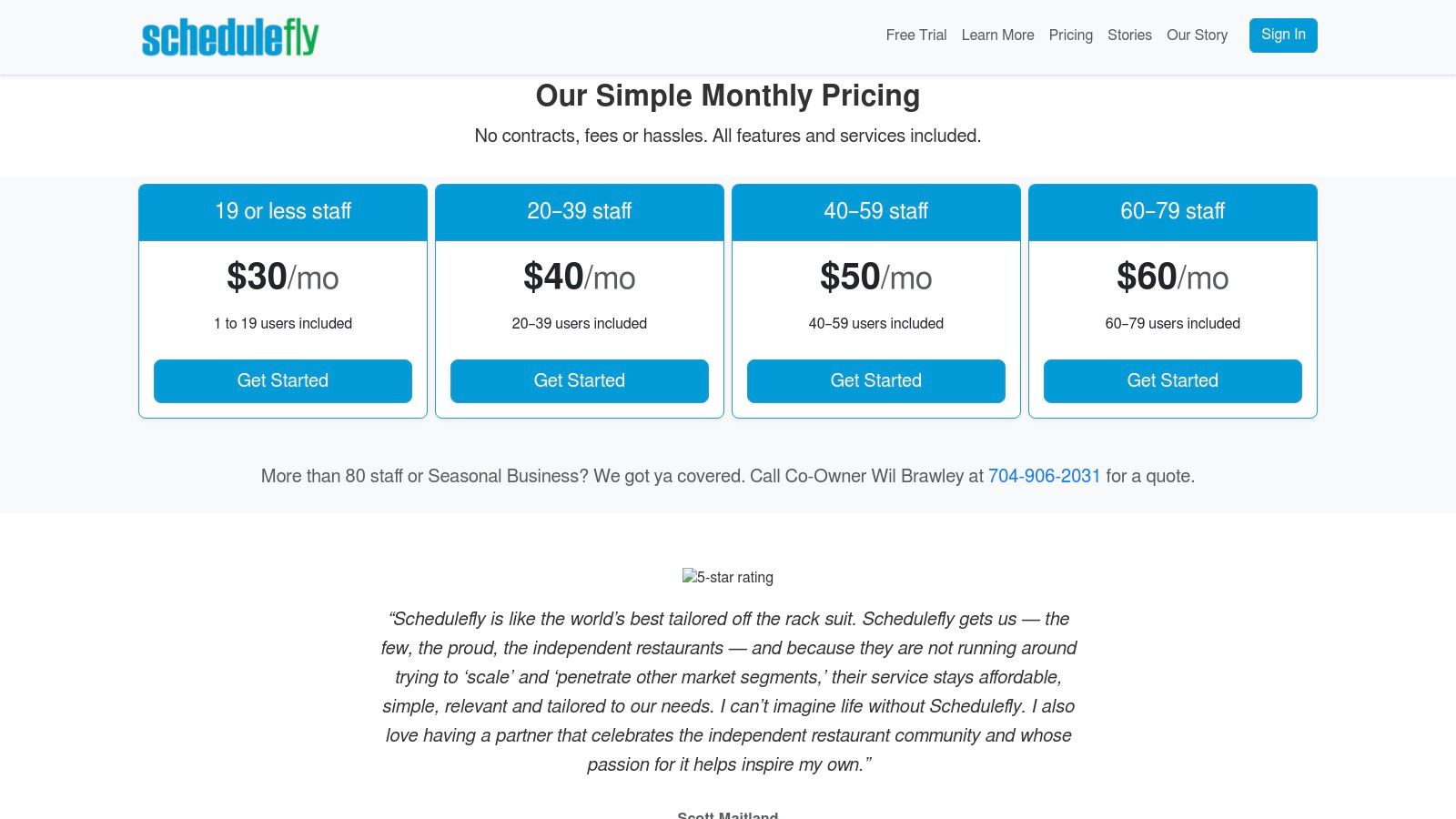
Schedulefly offers a refreshingly simple, flat-rate pricing model based on the number of staff members, with a 30-day free trial.
- 1–19 Staff: $30 per month
- 20–39 Staff: $40 per month
- 40–59 Staff: $50 per month
- 60–79 Staff: $60 per month
- 80+ Staff: Custom pricing
All plans include the full feature set, including scheduling, staff communication, time-off management, and mobile access. Seasonality-friendly billing is also available upon request for businesses that close for parts of the year.
Pros & Cons
- Pros: Extremely simple with a minimal learning curve, transparent and affordable flat pricing, and excellent for basic scheduling and communication.
- Cons: Lacks advanced labor forecasting and analytics features, and offers limited HR and payroll integrations compared to more comprehensive platforms.
Website: www.schedulefly.com/pricing/
9. Harri
Harri positions itself as an end-to-end hospitality employee experience platform, with its scheduling module, TeamLive, serving as a core component. This software is designed for the high-stakes environment of multi-unit restaurants and hotels, where complex compliance rules and large workforces demand a powerful solution. It moves beyond basic shift assignment to offer intelligent, data-driven workforce management that addresses everything from labor forecasting to team communication.
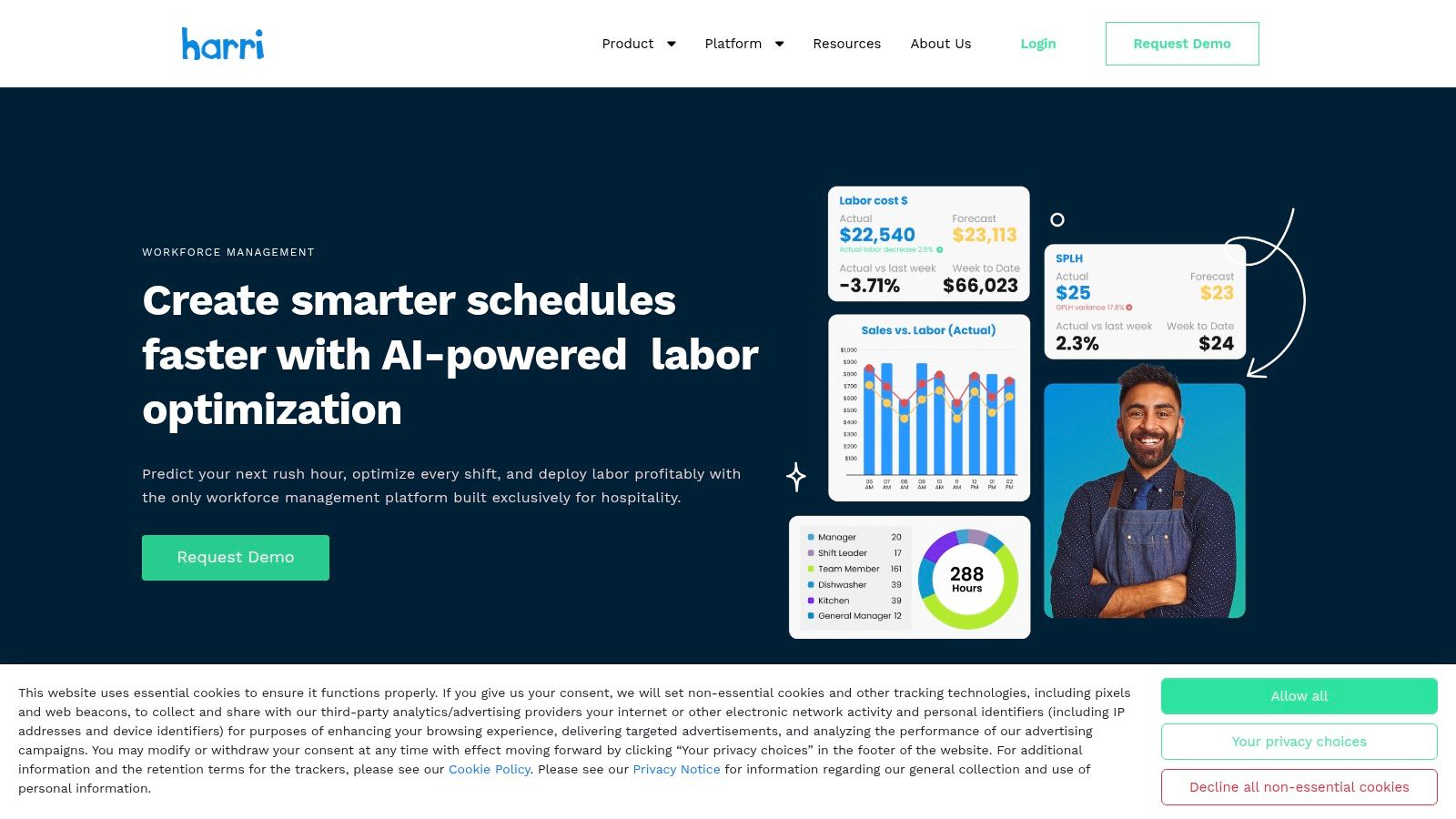
The platform’s standout feature is its deep-seated focus on labor law compliance. Harri provides robust controls for fair workweek laws, predictive scheduling ordinances, minor labor rules, and break management. Its demand-based scheduling tools use inputs from sales data and even weather forecasts to create optimized schedules that align with projected business volume. This makes it an invaluable piece of the best restaurant scheduling software toolkit for operators in highly regulated markets.
Key Features and Pricing
Harri’s pricing is not publicly available and is provided through a custom quote after a demo. This reflects its focus on tailored solutions for mid-market and enterprise clients.
- Demand-Based Scheduling: Creates schedules based on skill, performance, and projected demand.
- Compliance Engine: Automates adherence to advance-notice requirements, break laws, tip credit rules, and minor regulations.
- Mobile Apps: Separate, dedicated apps for managers and employees to handle shift swaps, availability, and communication.
- Labor Analytics: Provides detailed reporting and visibility across single or multiple locations to track performance and control costs.
The scheduling module is part of a broader suite that includes talent acquisition, onboarding, time and attendance, and payroll.
Pros & Cons
- Pros: Built specifically for hospitality with an exceptional focus on complex compliance, strong multi-location visibility and analytics, and an all-in-one platform approach.
- Cons: Pricing is not publicly listed and requires a demo, and the broader suite of tools may be more comprehensive than a small, independent restaurant needs.
Website: www.harri.com/post-hire/scheduling/
10. Restaurant365 (R365 Workforce)
Restaurant365 positions itself as an all-in-one restaurant management platform, where scheduling is just one component of a much larger ecosystem. Its R365 Workforce module is deeply integrated with its accounting, payroll, HR, and operational tools, making it ideal for multi-location groups seeking a single source of truth for their data. This unified approach eliminates the need for separate systems, providing consolidated reporting and unparalleled visibility across the entire enterprise.
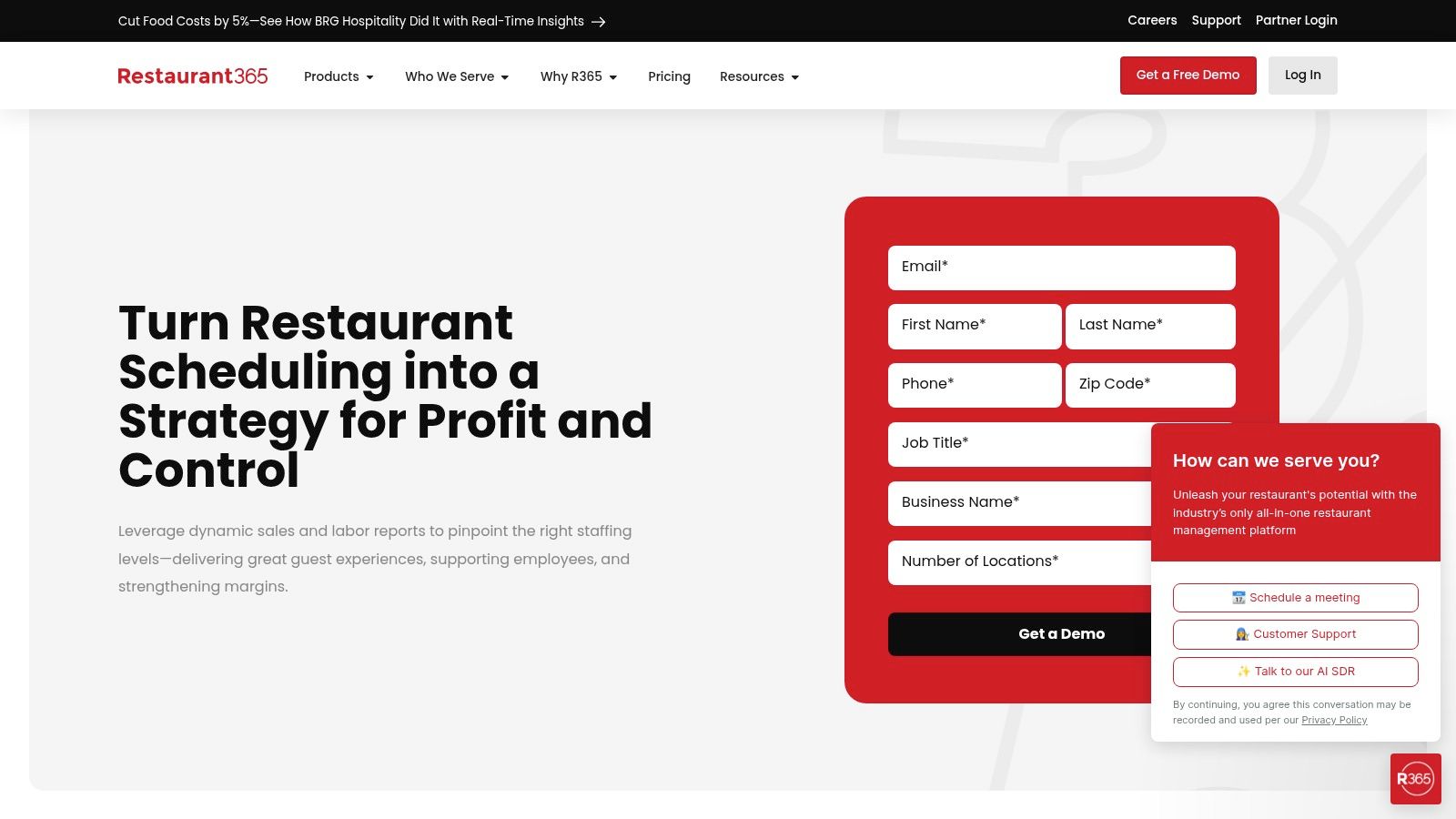
The platform’s strength lies in its data-driven approach to labor management. Schedules are built against forecasted sales, and managers receive real-time alerts for overtime and compliance risks. Because scheduling is directly connected to payroll and accounting, labor costs are tracked with precision from the moment a shift is created to when payroll is processed. This level of integration provides a holistic view of financial and operational performance, a key aspect of effective restaurant workforce management. R365 is less of a point solution and more of a central operating system for a restaurant business.
Key Features and Pricing
Restaurant365’s pricing is customized based on the modules and services a business needs, so you must request a quote for specific details.
- Four-in-One Accounting: Integrates accounting, store operations, workforce, and franchising.
- Data-Driven Scheduling: Aligns labor with sales forecasts and provides real-time labor cost tracking.
- Integrated Payroll & HR: Connects scheduling directly to payroll processing and HR functions for seamless data flow.
- Enterprise Reporting: Offers robust, multi-location visibility and consolidated financial and operational reports.
Pros & Cons
- Pros: Truly unified platform reduces data silos and the need for disparate tools, powerful enterprise-level reporting, and strong financial controls.
- Cons: Higher cost compared to standalone scheduling software, can be overly complex for single-unit operators, and pricing is not transparent.
Website: www.restaurant365.com/workforce/scheduling/
11. Workforce.com
Workforce.com positions itself as a comprehensive workforce management platform, extending beyond simple scheduling to include HR, time and attendance, and payroll modules. This modular approach makes it a strong contender for multi-unit restaurant groups and enterprises seeking an all-in-one solution. The software is built to handle the complexities of large, hourly workforces, with a focus on optimizing labor and ensuring strict compliance across various jurisdictions.
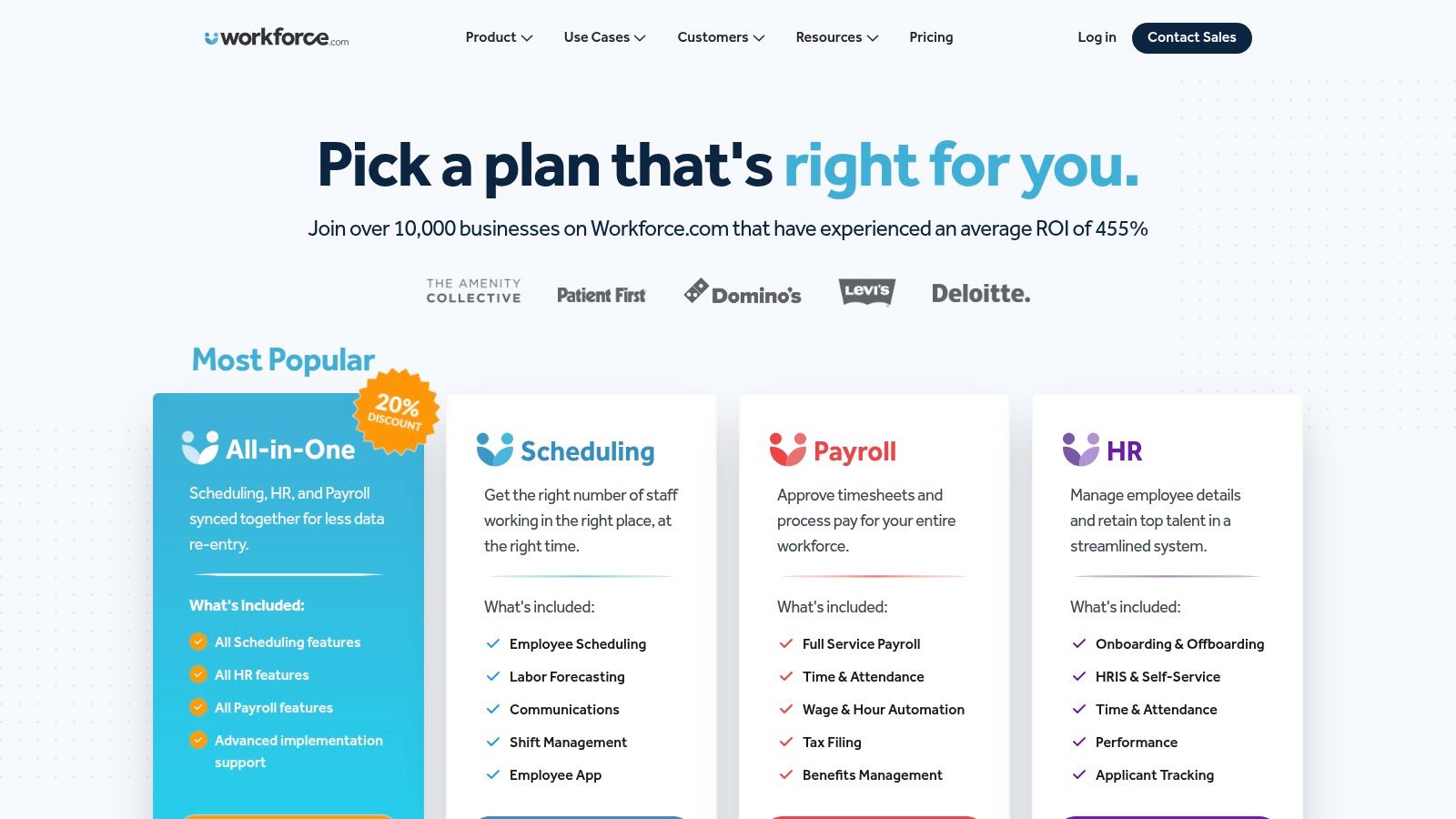
Its strength lies in its ability to integrate sales and demand data for accurate labor forecasting, allowing managers to build schedules that meet service targets without overspending. For businesses operating in multiple locations with varying labor laws, Workforce.com’s compliance engine is a significant advantage, automatically flagging potential violations. The platform’s robust analytics and reporting provide high-level insights into labor costs, productivity, and attendance, making it a powerful tool for strategic decision-making.
Key Features and Pricing
Workforce.com uses a quote-based pricing model, requiring direct contact with their sales team to get a customized plan. This reflects its enterprise focus and modular design.
- Employee Scheduling: Includes AI-powered demand forecasting, auto-scheduling, and live wage cost tracking.
- Time & Attendance: Features biometric time clocks, geofenced mobile clock-in, and real-time attendance tracking.
- HRIS & Payroll: Offers a complete suite for employee onboarding, leave management, and integrated payroll processing.
- Communication: A centralized app for team messaging, shift swapping, and announcements.
- Compliance: Automated tools to manage wage and hour laws, break requirements, and certifications.
Pros & Cons
- Pros: Highly flexible and modular system, powerful labor optimization and compliance tools, and excellent for multi-site operations.
- Cons: Pricing is not transparent and requires a sales call, and the full suite may be overly complex for small, single-unit restaurants.
Website: www.workforce.com/pricing
12. Connecteam
Connecteam positions itself as an all-in-one, mobile-first operations hub, making it a unique contender in the restaurant scheduling software space. While not built exclusively for hospitality, its strength lies in combining job scheduling with a comprehensive suite of tools for time tracking, task management, and team communication. This integrated approach is particularly valuable for smaller, dynamic teams looking to manage multiple operational functions without juggling several different apps.
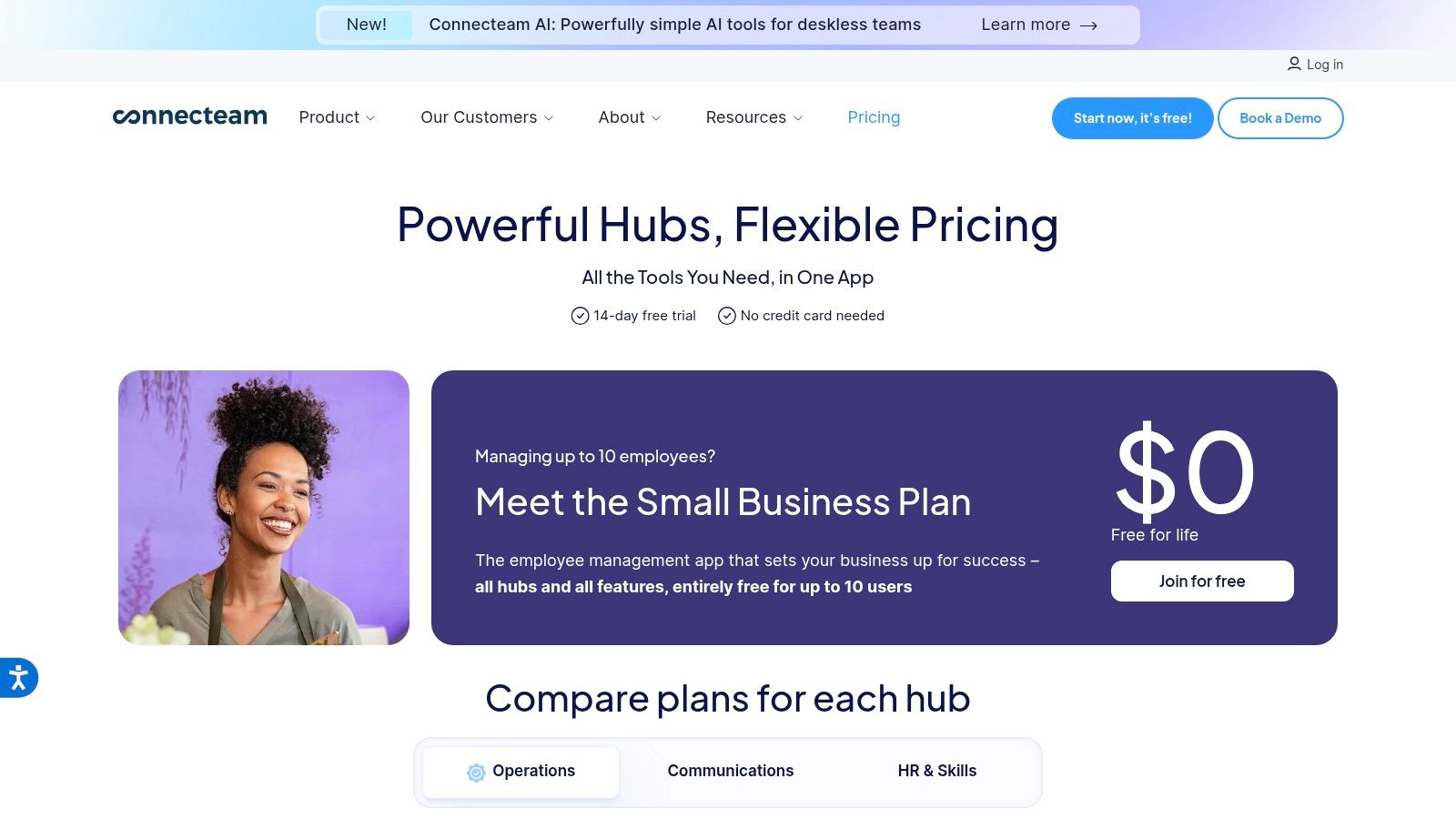
The platform excels at simplifying day-to-day management for operators who need more than just scheduling. Its job scheduler is straightforward, supporting templates and repeating shifts, while the GPS time clock with geofencing ensures staff clock in accurately from the correct location. The built-in chat, knowledge base, and survey features further streamline internal communications and training, centralizing essential team interactions within a single, user-friendly mobile interface.
Key Features and Pricing
Connecteam’s pricing is structured to be highly accessible for small businesses, with flat-rate plans covering the first 30 users.
- Small Business (Free): Core features for up to 10 users, including job scheduling and group chat.
- Basic ($35/month): Adds time clocking, task management, and recurring shifts.
- Advanced ($59/month): Unlocks geofencing, sub-folders for the knowledge base, and advanced settings.
- Expert ($119/month): Includes user permissions, API access, and multi-location management.
- Enterprise (Custom Pricing): A flexible plan built for businesses that need customized solutions and dedicated support.
These plans offer a bundled solution that goes beyond scheduling, providing significant value for teams needing a broader operational tool.
Pros & Cons
- Pros: Extremely cost-effective flat pricing for teams up to 30 users, combines scheduling with robust communication and operational tools, and features a strong mobile-first design.
- Cons: Not restaurant-specific, so it lacks deep POS integrations and sales-based labor forecasting. Some key features are gated behind higher-tier plans.
Website: www.connecteam.com/pricing/
Top 12 Restaurant Scheduling Software Comparison
| Platform | Core Features | UX / Quality | Value / Price | Target Audience | Unique Selling Points |
|---|---|---|---|---|---|
| 7shifts | Sales-driven forecasting, auto-scheduling, POS, and payroll integrations | ★★★★ Restaurant-optimized, polished UI | Medium
(location tiers with add-ons) |
Single‑site to multi‑unit restaurants | Deep restaurant focus with strong add‑on ecosystem |
| When I Work | Auto-scheduling, templates, messaging, and time tracking |
★★★★ Excellent mobile apps, fast deploy |
Low to medium
(per‑user pricing) |
Small cafes and growing teams | Easy development and affordable entry for small teams |
| Homebase | Scheduling, time clocks, hiring, HR toolkit, add-ons |
★★★★ Friendly for very small ops |
Low
(strong free plan for one location, 10 or fewer staff) |
Very small restaurants and cafes | All‑in‑one starter toolkit with free tier |
| Sling (by Toast) | Shift templates, long‑term planning, and time tracking |
★★★★ Simple, reliable |
Low
(generous free tier for about 30 users) |
Shift‑based teams, small to mid-sized shops | Free tier and fair billing for active users |
| Toast Scheduling (Toast POS) | POS‑synced scheduling, labor insights, and reminders |
★★★★ Seamless within Toast ecosystem |
Medium to high
(best value for Toast users) |
Toast POS customers and multi‑unit brands | Native Toast sync ensures accurate labor control |
| HotSchedules (Fourth) | AI forecasting, automated scheduling, and compliance | ★★★★★ Enterprise‑grade, scalable | High
(quote‑based pricing) |
Large multi‑unit restaurant groups | Advanced AI forecasting and automation at scale |
| Deputy | Auto‑scheduling, compliance controls, time, and attendance |
★★★★ Strong compliance & scale |
Medium (per‑user (pricing, can rise for large teams) | SMB to mid‑market hospitality operations | Robust U.S. wage and hour compliance tools |
| Schedulefly | Simple publishing, messaging, time‑off, and notifications |
★★★ Extremely simple, minimal learning |
Low
(flat, transparent pricing) |
Independent operators and small restaurants | Ultra‑simple scheduler with straightforward pricing |
| Harri | Demand scheduling, compliance, mobile apps, and analytics | ★★★★ Hospitality‑focused UX | Medium to high
(quoted pricing) |
Restaurants and hotels with multi‑site needs | Deep hospitality compliance tools and analytics |
| Restaurant365 (R365) | Sales‑aligned scheduling, payroll, and accounting |
★★★★★ Unified enterprise reporting |
High Package or quote pricing | Multi‑location groups and enterprise operators | Unified operations, finance, and workforce platform |
| Workforce.com | Scheduling, forecasting, HRIS, and payroll modules |
★★★★ Modular and flexible |
Medium to high
(quote-based, modular pricing) |
Multi‑site hourly workforces | Ability to buy scheduling only or full HR/payroll suite |
| Connecteam | Job scheduling, GPS time clock, tasks, and communication |
★★★ Mobile‑first, value for small teams |
Low
(flat pricing for first 30 users) |
Small teams across industries, including restaurants | Cost‑effective flat pricing and integrated operations tools |
Choosing Your Tool: Beyond Software to a Smarter Operation
Navigating the landscape of restaurant scheduling software can feel overwhelming. We have explored a dozen powerful platforms, from the comprehensive, all-in-one solutions like Toast and Restaurant365 to the focused, user-friendly tools like 7shifts and Schedulefly. Each offers a unique combination of features designed to tackle one of the industry’s most persistent challenges: managing labor. The right software is undeniably a game-changer, transforming the chaotic, time-consuming task of building schedules into a streamlined, data-driven process.
The core takeaway is that there is no single “best” platform for everyone. The ideal choice depends entirely on your restaurant’s specific context. A single-location, 20-employee cafe has vastly different needs than a 50-unit franchise group managing complex compliance regulations across multiple states. Your decision-making framework should prioritize your most significant pain points, whether that is high overtime costs, poor communication, or a lack of visibility into labor performance.
Key Considerations Before You Commit
Before you sign a contract, revisit these critical decision points that emerged from our analysis:
- Integration is Non-Negotiable: Your scheduling software must seamlessly connect with your POS system. This integration is the linchpin for accurate sales forecasting, real-time labor cost tracking, and tip pooling automation. A disconnected system creates more work, not less.
- The Employee Experience Matters: A platform with a clunky, difficult-to-use mobile app for your team will create friction and hinder adoption. Tools like Homebase and When I Work excel by focusing on an intuitive employee interface for shift swapping, time-off requests, and communication. A positive user experience for your staff is a direct investment in your culture.
- Scalability for Future Growth: Consider where your business will be in three to five years. If you plan to expand to multiple locations, choosing a platform like Harri or HotSchedules that offers robust multi-unit management from the start will save you from a painful migration process down the line.
Implementing Your New System for Success
Selecting the best restaurant scheduling software is only the first step. Successful implementation requires a strategic approach. It is not just about installing software; it is about changing habits and empowering your team. The most sophisticated AI-powered labor forecasting tool is useless if your managers do not trust the data or know how to interpret its recommendations.
Technology is a powerful amplifier, but it cannot fix underlying operational weaknesses or a lack of leadership training. A great scheduling tool can help a manager build an efficient schedule, but it cannot teach them how to communicate that schedule effectively, handle last-minute call-outs with grace, or develop their team members. This is the critical gap where software ends and true operational excellence begins.
This is where you combine technology with human development. By pairing a best-in-class scheduling platform with a system for developing your managers into effective leaders, you create a powerful synergy. The software provides the data and the framework, while leadership training provides the context and the skills. This combination turns scheduling from a reactive, administrative task into a proactive, strategic tool for building a more profitable, efficient, and people-first restaurant that attracts and retains top talent.
Ready to empower your managers with the operational systems and leadership training that turn great software into exceptional results? Discover how MAJC provides the frameworks that build confident leaders and drive profitability. Learn more about our proven systems at MAJC.
At MAJC, AI supports research, drafting, and editing to help us share ideas faster. Every article is reviewed for accuracy and alignment with our mission to serve the hospitality industry with clarity and integrity.