


Think back to late-night inventory counts: clipboard in hand, double-checking the walk-in while trying to make sense of messy notes. Despite all that effort, you still end up with surprise shortages during a busy service or spoiled ingredients quietly draining your profits.
That frustration is exactly what a food inventory management system is designed to eliminate. It’s not just a digital spreadsheet. It’s a real-time system that tracks what you have, what you need, and how much each ingredient truly costs your business.
What Is a Food Inventory Management System?
A food inventory management system replaces manual counts and guesswork with live, accurate stock data. When integrated with your POS, it automatically deducts ingredients as items are sold, giving you a clear, up-to-date view of inventory at all times.
This connection shifts your operation from reactive to proactive. Instead of scrambling to fix problems mid-service, you can make smarter purchasing decisions backed by real data.
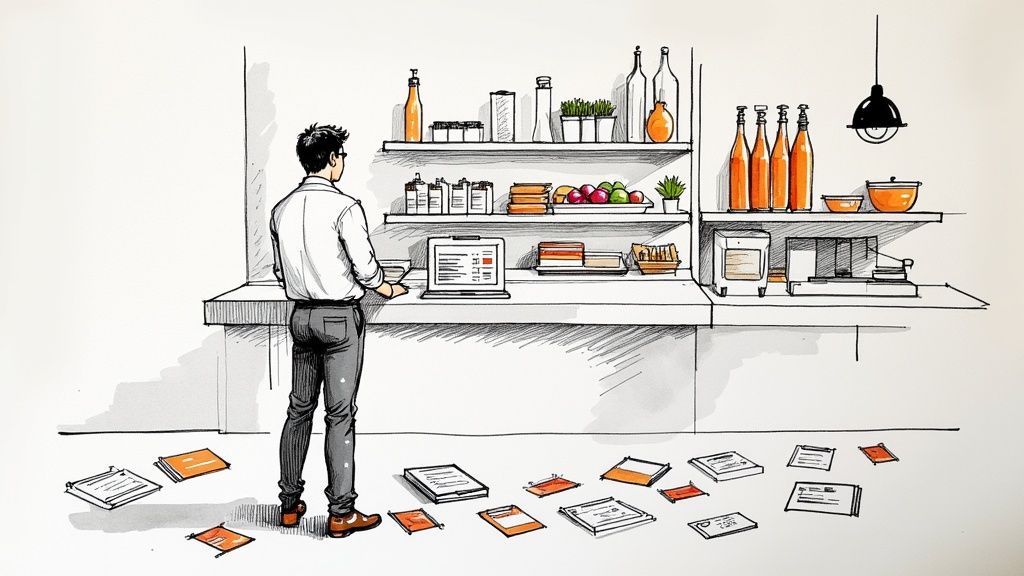
Core Functions of an Inventory System
At its core, this technology helps kitchens run more predictably and profitably by handling a few critical tasks:
-
Automated Tracking: Logs inventory from delivery to sale, giving you full visibility into stock movement.
-
Cost Management: Tracks ingredient prices and usage to calculate true plate costs.
-
Waste Reduction: Flags slow-moving items and spoilage so you can adjust ordering before money hits the trash.
-
Supplier Organization: Centralizes vendor details, pricing, and order history to simplify purchasing.
By closing the loop between sales data and physical stock, a food inventory management system finally answers the questions operators lose sleep over, like whether your best-selling dishes are actually being portioned and costed correctly.
This move from manual counting to automated control isn’t just a nice-to-have anymore; it’s becoming essential. According to a global market forecast, the restaurant inventory management and purchasing software market grew from around USD 3.45 billion in 2023 to USD 3.95 billion in 2024, and is projected to nearly double by 2030 as restaurants adopt smarter tools to protect their margins. Rising food costs, supply chain volatility, and the need for real-time visibility are key drivers behind this growth. For a deeper look at these market trends, see the full inventory management software report.
To see the difference in black and white, here’s a quick comparison of the old way versus the new way.
Manual Spreadsheets vs. Automated Systems
| Feature | Manual Methods (Spreadsheets) | Automated System |
|---|---|---|
| Data Entry | Time-consuming and prone to human error. | Automated; syncs with POS and invoices. |
| Real-Time View | Outdated the moment you finish counting. | Live, accurate stock levels available 24/7. |
| Food Costing | A painful, formula-heavy manual process. | Calculates plate costs automatically. |
| Ordering | Based on gut feelings and past orders. | Suggests orders based on sales data and pars. |
| Waste Tracking | Difficult to pinpoint sources of loss. | Flags spoilage and identifies over-prepping. |
| Reporting | Limited insights; requires building reports from scratch. | Generates detailed reports on sales, waste, and profit. |
Ultimately, a dedicated system turns tedious administrative work into an automated process. This frees up your managers and chefs to focus on what actually drives your business: creating incredible food and memorable guest experiences. It’s not just about counting stuff; it’s about gaining total control over one of your restaurant’s biggest expenses.
Essential Features Your System Must Have
Choosing a food inventory management system is like hiring a key operator. Flashy extras are nice, but a few core capabilities are nonnegotiable if you want real control over food costs. Without them, you are just using a glorified spreadsheet. With them, inventory data becomes a clear driver of profitability.
Real-Time Inventory Tracking
This is the foundation. Every sale should automatically deduct ingredients from inventory the moment it hits the POS. That live visibility eliminates guesswork, prevents unexpected 86’d items, and helps you understand how long your stock will actually last, a critical factor for cash flow planning. For a deeper breakdown, our guide on the inventory days on hand formula explains this in detail.
Recipe and Menu Costing
A strong system connects ingredient prices directly to recipes, calculating the exact cost of every plate. This gives you the clarity needed for smart menu pricing, margin analysis, and identifying which dishes deserve promotion and which need adjustment.
Supplier Management and Purchasing
Managing vendors should not live in emails and spreadsheets. At a minimum, your system should centralize supplier information, generate purchase orders, and track price changes over time. This reduces ordering mistakes, saves admin time, and gives you real leverage when negotiating with vendors.
Waste and Spoilage Tracking
Food waste quietly erodes profit. A good system makes waste visible by allowing teams to log spoilage, prep loss, and kitchen errors. The goal is not blame, but patterns. Once you see what is consistently wasted, you can tighten prep, ordering, and storage practices.
Reporting and Analytics
All of this data is useless without clear reporting. Look for dashboards that show food cost percentage, inventory turnover, item-level sales trends, and waste analysis. These insights replace gut feelings with facts and help you tie daily kitchen decisions directly to your P&L.
In short, a strong inventory management system turns abstract costs into actionable insights, showing you exactly where your money is going and how to keep more of it.
How to Choose the Right System for Your Restaurant
Picking a food inventory management system feels like a huge commitment, and frankly, it is. With so many options out there, it’s easy to get lost in a sea of feature lists and slick sales pitches. Let’s cut through the noise and focus on what actually matters for a real restaurant operation.
Think of this as your guide to finding a true partner for your business, not just another piece of software.
Look for Seamless Integration
The first question you should always ask is: “Does it play well with others?” A system that operates in a silo isn’t a solution; it’s just another problem that creates more work. Integration capabilities are completely nonnegotiable.
Your inventory system has to connect effortlessly with your point-of-sale (POS) and accounting software. When it does, you create a single source of truth. Sales data from the POS automatically depletes your inventory counts, and purchasing data flows right into your financial reports. Without that connection, you’re stuck manually exporting and importing data, the exact kind of soul-crushing, error-prone work you’re trying to eliminate in the first place.
Prioritize Scalability and Growth
Your restaurant today isn’t your restaurant in five years. A system that works just fine for one location might completely crumble under the pressure of a second or third. This is why scalability is so important. You need to choose a platform that can grow with you.
Think about your future plans. Are you dreaming of expanding to new locations, launching a catering arm, or rolling out a food truck? The right system should handle multi-unit operations, central kitchen management, and increasingly complex reporting without requiring a total overhaul. Choosing a scalable solution now prevents a painful and expensive migration down the road.
Insist on True User-Friendliness
Here’s the hard truth: if your team finds the software confusing or clunky, they just won’t use it consistently. And an inventory system with garbage data is worthless. User-friendliness isn’t a nice-to-have feature; it’s absolutely essential for the whole thing to work.
The interface needs to be clean and intuitive enough for a busy chef to log waste on a tablet in the middle of service, or for a receiving clerk to check in an order on their phone. A complicated system with a steep learning curve will only lead to frustration, spotty use, and ultimately, a failed investment. Always ask for a live demo, and push for a trial period so your team can test it in a real-world setting.
This simple workflow, checking integrations, scalability, and usability, gives you a solid framework for your decision.
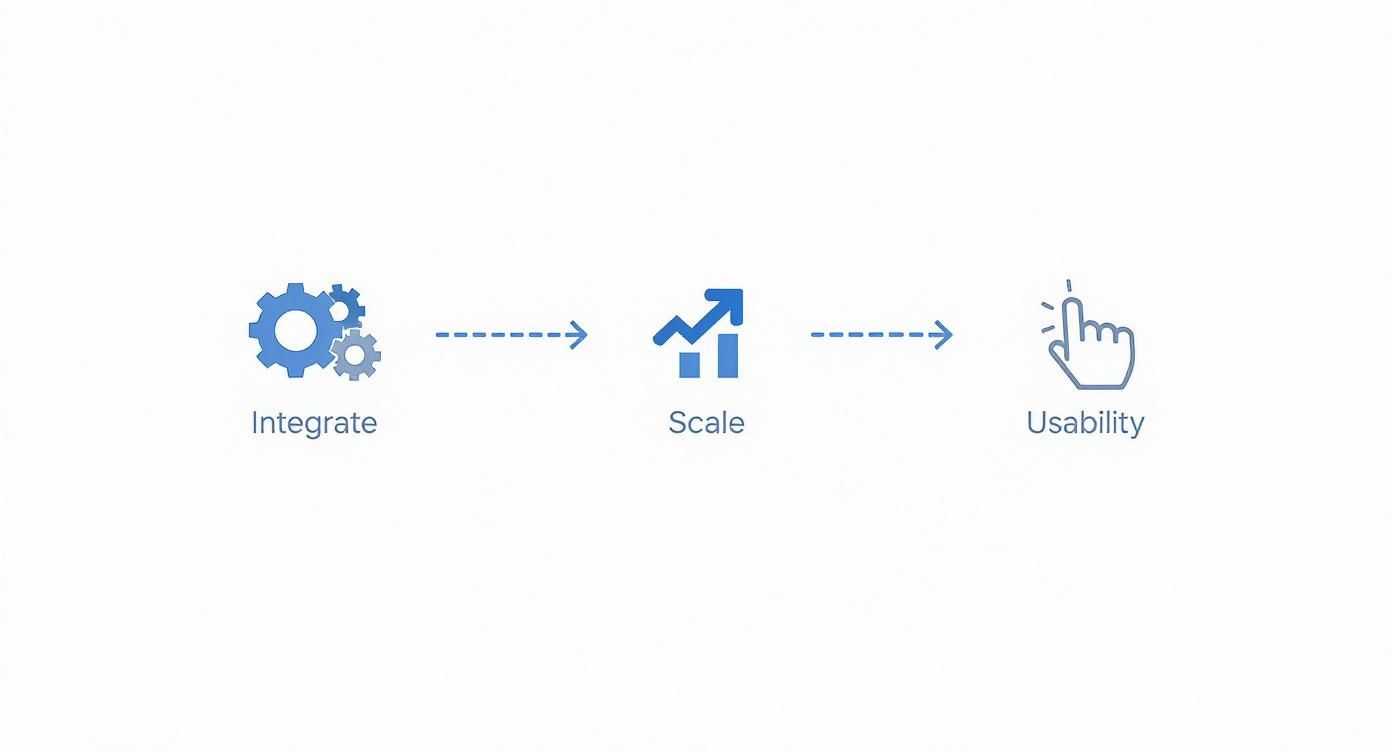
This process flow maps out the key checkpoints, making sure the software fits your current setup, can adapt as you grow, and is easy enough for your team to actually use.
The best food inventory management system isn’t the one with the most features. It’s the one that your team will actually use every single day to make smarter, faster, and more profitable decisions.
A Quick Checklist for Vetting Vendors
Beyond those three pillars, you need to dig into the details with any potential vendor. A great product with terrible support is still a terrible experience. Use these questions as a starting point to make sure you’re choosing a real partner, not just a provider.
| Evaluation Criteria | Key Questions to Ask |
|---|---|
| Integration | Which POS and accounting systems do you integrate with directly? Is it a true two-way sync? |
| Usability | Can we get a trial for our team to test in our own environment? How long is the typical onboarding process? |
| Scalability | How does your pricing and feature set support multi-unit operations or a central kitchen model? |
| Support & Training | What are your support hours? Do we get a dedicated account manager? What training materials do you provide? |
| Reporting | Can you show me examples of your COGS, variance, and waste reports? Can reports be automated and customized? |
| Hardware | What hardware is required? Is the system mobile-friendly for use on tablets and phones in the kitchen or walk-in? |
| Total Cost | What is the total cost of ownership, including setup fees, monthly subscriptions, and any hardware costs? |
Getting clear answers to these questions will reveal a lot about the company you’re about to partner with.
Don’t forget to ask about their customer support and training resources. Will someone actually be there to help at 9:00 p.m. on a Friday if you run into an issue? Do they offer solid onboarding to get your team up to speed quickly? A strong support system is a sign of a company that’s invested in your success. A good partner can also offer guidance on how to improve restaurant operations that goes way beyond just inventory.
Finally, understand the difference between a standalone app and an all-in-one platform. A single-task tool might be cheaper upfront, but an integrated platform often provides far greater long-term value by connecting your inventory to scheduling, payroll, and sales analytics. By carefully weighing these factors, you can choose a system that truly fits your restaurant’s unique needs.
A Practical Guide to Implementing Your New System
Rolling out a food inventory management system does not have to disrupt your operation. A successful implementation comes down to a clear, phased approach that keeps daily service running smoothly while the system comes online.
The groundwork you do before launch is what determines long-term success. Careful preparation and team alignment matter far more than the software itself.
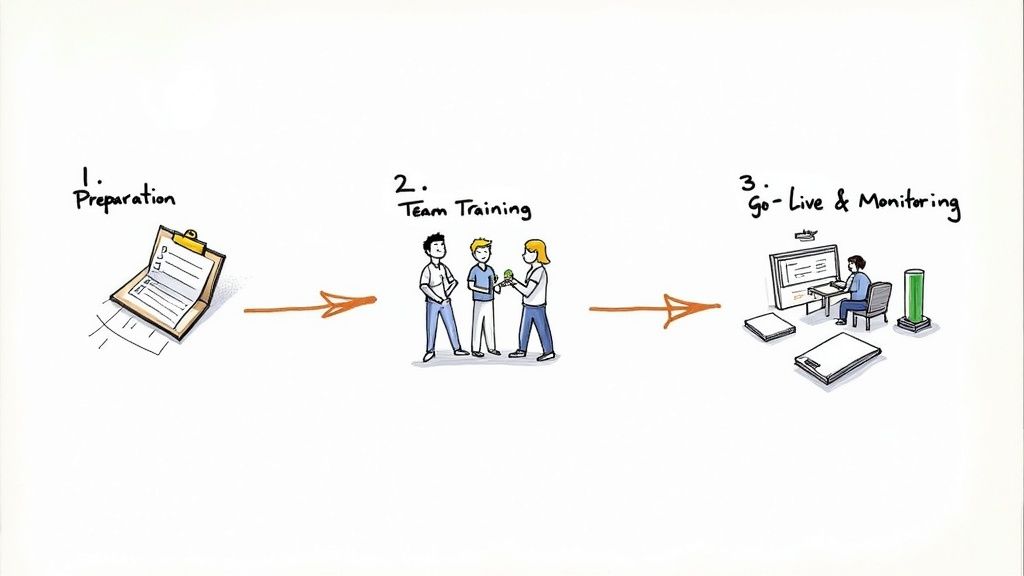
Preparation and Data Entry
This initial phase is where you build the foundation of your digital inventory. Accuracy here is critical, as everything from reporting to food cost calculations depends on it.
Focus on three core tasks:
-
Organize Supplier Data: Load vendor contacts, product lists, and current pricing so purchasing and cost tracking work correctly.
-
Enter Standardized Recipes: Input every recipe with precise measurements. This enables accurate plate costing and meaningful food cost insights.
-
Complete a Full Inventory Count: Conduct a wall-to-wall count to establish clean baseline stock levels. Skipping this step undermines the entire system.
Starting with clean data and clear processes ensures your system delivers real value from day one.
Team Training and Buy-In
A new system is only as good as the people using it. That’s why practical, role-based training is nonnegotiable. Don’t just show your team the software; show them how it makes their specific job less of a grind.
The goal of training isn’t just to teach button-clicking. It’s to build confidence and show how this new tool gets rid of tedious tasks, giving everyone more time to focus on food and guests.
Your chefs and line cooks need to know how to track waste. The receiving team has to learn how to check in orders accurately. Managers, on the other hand, should master pulling reports and analyzing the data. Clear documentation is your friend here, and our guide on how to create standard operating procedures can help you build training materials that actually stick. Getting your team’s buy-in is everything; when they see the benefits for themselves, using the system becomes second nature.
Go-Live and Monitoring
This is it: the official launch. A smart move is to run the new system in parallel with your old method (even if it’s just clipboards and spreadsheets) for a week or two. This lets you double-check the data, catch any weird discrepancies, and make sure everything is working as expected before you fully cut over.
Once you’re live, the job shifts from implementation to observation. Get in the habit of regularly reviewing your key reports on food costs, waste, and inventory variance. This ongoing analysis is what helps you fine-tune ordering pars, adjust recipes, and make smarter purchasing decisions. Technology is shaping how we track food from farm to table, and this system puts you ahead of the curve.
Common Implementation Mistakes to Avoid
Implementing a food inventory management system is a major step, but the software alone will not fix broken processes. The difference between a system that saves money and one that gets ignored comes down to avoiding a few common rollout mistakes.
Learning from these pitfalls helps ensure your system delivers value from day one.
Inadequate Team Training
The most common failure point is poor training. When teams are rushed or do not understand why the system matters, usage becomes inconsistent, and data quality suffers.
Training should be role-specific and benefit-driven. Show each team member how the system makes their job easier, faster receiving, simpler waste logging, and clearer prep expectations. When staff see the value, adoption follows.
Choosing a Nonintegrated System
A food inventory management system that does not integrate with your POS or accounting tools creates data silos and extra manual work. This defeats the purpose of automation and increases the risk of errors.
Integrated systems allow sales, inventory, and purchasing data to flow automatically, giving you a real-time view of costs and stock without constant manual input. Integration should always be a top priority.
Ignoring System Alerts and Data
System alerts exist to prevent small issues from becoming expensive problems. Low-stock warnings, price changes, or inventory discrepancies only help if you act on them.
Ignoring this data is like installing a smoke alarm and muting it. The real ROI comes from using insights to make faster, smarter decisions every day.
Failing to Perform Regular Audits
Even the best software needs occasional verification. Unlogged waste, over-portioning, or theft can slowly distort inventory data if it is never checked.
You do not need constant full counts, but regular spot checks on high-cost items help keep data accurate and teams accountable.
Still Have Questions? Let’s Clear a Few Things Up
Let’s walk through some of the most common ones we hear from operators who are on the fence about a food inventory management system.
How much should I expect to pay for a food inventory management system?
The price tag can swing pretty widely based on what you need, how many locations you’re running, and the vendor you choose. For a single restaurant, a solid entry-level system usually starts somewhere between $50 to $100 a month.
If you’re looking for the heavy hitters, platforms with multi-location dashboards, granular recipe costing, and deep-dive analytics, you’re more likely in the $200 to over $500 monthly range. Most companies tier their pricing, so your best bet is always to get a quote that’s tailored to your actual operation.
Can these systems really help me lower my food costs?
Yes, without a doubt. A system that’s set up and used correctly is one of the most direct ways to attack high food costs. It immediately helps you cut down on waste from over-ordering and spoilage, which is like stopping cash from going straight into the trash.
It also shines a bright light on things like theft or inconsistent portioning, and it gives you the hard numbers you need to price your menu for actual profit. Most restaurants see a real, measurable drop in their food cost percentage within the first few months.
The real job of a food inventory system is to give you clarity. It swaps out gut feelings about your costs for hard, actionable data. That clarity is what gives you the control to protect and grow your margins.
How long does it take to get a new inventory system up and running?
Honestly, the timeline depends on the complexity of your restaurant. A small cafe with a straightforward menu and a few suppliers might be fully dialed in within a week or two.
On the other hand, a large restaurant or a multi-unit group with a massive menu and dozens of vendors could be looking at a month or more for a full implementation. The most important thing is dedicating the time up front to get the initial setup right. That initial investment of time is what ensures the system feeds you reliable, valuable data from day one and sets you up for long-term wins.
Ready to stop guessing and start running a smarter, more profitable operation? MAJC✨ is more than just a tool; it’s a community-driven platform built by operators, for operators. Access the systems, expert training, and peer support you need to hire better, retain longer, and gain total control over your business. Explore how MAJC✨ can help you thrive at majc.ai.