


A Point of Sale (POS) system is far more than a cash register. It is the operational hub of your business, connecting payments, sales data, inventory, and day-to-day workflows in one system.
Today, there are several types of POS systems designed for different operational needs, including cloud-based, on-premise, mobile or tablet POS, and self-service kiosks. Each option supports a different business model, budget, and level of complexity.
In this guide, we break down the main types of POS systems, explain how they work, and help you determine which setup makes the most sense for your restaurant or hospitality business.
For anyone just starting out, picking the right tech is one of the first big hurdles. In fact, our guide on how to open a small restaurant pinpoints technology selection as a critical step that shapes your efficiency and guest service from day one.
More Than Just a Transaction Tool
Modern systems do a lot more than just take money. They have become essential tools for managing your entire operation and fueling growth.
Here is a look at what they really do:
- Sales Reporting: They track sales trends, peak hours, and which menu items are selling, giving you a clear picture of what is working and what is not.
- Inventory Management: You can monitor stock levels in real-time, which helps you avoid the dreaded “86” on a popular dish and cut down on waste.
- Customer Relationship Management (CRM): The system can store guest data and purchase history, letting you build out loyalty programs and send personalized marketing that actually hits the mark.
- Employee Management: It also helps you manage staff hours, track performance, and simplify scheduling and payroll.
The industry has taken notice. According to Grand View Research, the global point-of-sale terminal market was valued at approximately USD 113.38 billion in 2024 and is projected to reach USD 181.47 billion by 2030. That kind of growth shows just how indispensable these systems have become. You can dig into the full report from Grand View Research to see the numbers for yourself.
The First Big Decision: On-Premise vs. Cloud POS
When you are looking at different types of POS systems, the first big question you need to answer is simple: Where does your data live? The answer splits your options into two main camps, on-premise and cloud-based, and each one has a totally different philosophy for running your business.
The Traditional Fortress: On-Premise POS Systems
On-premise systems are the classic model. All your sales, inventory, and customer data are stored on a local server that you own and maintain right there in your restaurant or hotel. This setup requires a bigger investment upfront to buy the hardware and software, but your ongoing costs are usually lower since you are not paying a monthly subscription.
This approach gives you direct, hands-on control over your data and system security. Since it all runs on an internal network, you are not at the mercy of your internet provider to process sales. That is a huge relief for businesses in areas with spotty connectivity. The trade-off? You are on the hook for all maintenance, troubleshooting, and data backups.
The Flexible Alternative: Cloud-Based POS Systems
Cloud-based POS systems have completely changed the game. Instead of one massive purchase, you pay a predictable monthly subscription. This model lowers the barrier to entry, making powerful software accessible to businesses that do not have a ton of capital to spend upfront.
With a cloud system, your provider handles all the technical heavy lifting, software updates, security patches, and server maintenance are all done for you. This frees you up to focus on what you do best: running your business. The ability to log in from any device means you can pull sales reports from home or manage inventory while you’re at a supplier’s warehouse. The catch is that you need a stable internet connection for everything to work seamlessly, though most modern systems have an offline mode to keep you running during an outage.
While plenty of businesses still rely on fixed terminals, the trend is clearly shifting toward the cloud. According to Fortune Business Insights, cloud-based POS systems are projected to account for around 59% of the market share by revenue in 2025, and are expected to continue growing at the fastest rate in the years ahead. You can dig into the full market analysis from Fortune Business Insights to see the detailed projections for yourself.
The core difference is not just about technology; it is a difference in philosophy. On-premise is about ownership and control. The cloud is about access and convenience. Your choice really comes down to what you value most for your day-to-day operations.
Comparing On-Premise and Cloud-Based POS Systems
To help you see the differences more clearly, let’s put them side-by-side. This table breaks down the key distinctions between owning your system versus subscribing to a service.
| Feature | On-Premise POS | Cloud-Based POS |
|---|---|---|
| Initial Cost | High (hardware, software licenses). | Low (often just hardware costs). |
| Ongoing Costs | Minimal (maintenance, potential support fees). | Monthly or annual subscription fee. |
| Data Access | Limited to your physical location | Accessible from anywhere with internet. |
| Maintenance | Your responsibility (updates, security, backups). | Handled by the provider. |
| Internet Dependency | Low (can operate offline). | High (offline modes exist but may be limited). |
| Scalability | More complex (requires new hardware/licenses). | Simple (upgrade subscription plan). |
Ultimately, the right choice depends on your budget, your comfort with technology, and how you want to manage your business.
Once that decision is made, the focus shifts to hardware. POS hardware is not one-size-fits-all. The right setup depends on your space and workflow, whether that’s a fast-paced dining room, a bar, or a hotel front desk.
This choice goes beyond looks. The hardware you select directly affects speed, order accuracy, and how smoothly your team can deliver the guest experience. The goal is simple: give your staff tools that support how they actually work.
The Classic Countertop Terminal
Think of the countertop terminal as the reliable workhorse of the POS world. These are the sturdy, stationary systems you see at a busy retail checkout, a full-service restaurant’s host stand, or a hotel front desk. They are built for high-volume environments and designed to withstand the daily grind.
A typical countertop setup usually includes:
- A touchscreen monitor for punching in orders and payments.
- A cash drawer for secure cash handling.
- A receipt printer for transaction copies.
- A credit card reader for swipe, chip, and tap payments.
Because they are stationary and built like a tank, these systems are perfect for any business with a central checkout spot. They can handle thousands of transactions a day without breaking a sweat, making them a go-to for established operations that need a durable, centralized hub.
Mobile and Tablet POS Systems for Flexibility
For businesses that thrive on movement, mobile and tablet POS systems are a game-changer. Running on devices like iPads, Android tablets, or even smartphones, these systems cut the cord and free your staff from a fixed counter. This mobility is key to delivering a better, faster guest experience.
Imagine a server taking an order for a 12-top right at the table, or a food truck operator ringing up sales in a crowded park without missing a beat. That is the power of mobile POS. These systems are often lightweight, intuitive, and carry a lower upfront cost than traditional terminals.
Tablet and mobile systems are not just about convenience; they fundamentally change the customer interaction. They bring the point of sale to the guest, cutting down on friction and speeding up service everywhere from a busy patio to a pop-up event.
While they are incredibly versatile, durability is a real consideration. A standard iPad probably will not survive a drop on a concrete floor or the high heat of a kitchen line. To solve this, many providers now offer ruggedized cases or specialized hardware built specifically for tough hospitality environments.
The Rise of Self-Service Kiosks
Self-service kiosks are quickly becoming indispensable, especially in quick-service restaurants, cinemas, and hotels. These standalone terminals put customers in the driver’s seat, letting them place orders, customize items, and pay without ever needing to speak to a staff member.
This approach pays off in a few big ways. It dramatically cuts down wait times during peak hours, reduces the chance of human error, and frees up your team to focus on other activities like preparing food or assisting guests with complex needs. For customers, it is a zero-pressure way to browse the menu and order at their own pace.
When it comes to outfitting your space with kiosks, the upfront cost can be a hurdle. That is why many operators explore alternative financing, like Hardware as a Service and Lease to Own models for acquiring technology, which makes scaling your self-service options much more manageable without a massive capital investment.
Essential Software Features Your Business Needs
If the right POS hardware gives your team the tools they need, the software is what turns those tools into a powerful business engine.
Think of it this way: your hardware is the body, but the software is the brain. It connects every action, from a guest’s order to a supplier’s invoice, into one cohesive system. That is what helps you spot trends, control costs, and build a smarter, more profitable business.
Let’s break down the nonnegotiable features you should expect from any modern POS software.
Seamless Payment Processing
At its core, your POS has to be a rock-solid payment processor. This means accepting all the ways your customers want to pay, without a hitch. The days of just swiping a card are long gone. Today’s guests expect options.
Your system should effortlessly handle:
- Credit and Debit Cards: This is table stakes. It includes swipe, chip (EMV), and contactless (NFC) payments.
- Mobile Wallets: Support for Apple Pay, Google Pay, and other digital wallets is now essential for a fast, frictionless checkout.
- Gift Cards and Vouchers: The ability to issue, track, and redeem gift cards helps drive repeat business and introduces new people to your brand.
Secure payment processing is not just a feature; it is a fundamental requirement. PCI compliance is the industry standard for protecting sensitive cardholder data, which in turn protects your business and builds trust with your guests.
Robust Inventory Management
Poor inventory control is a silent killer of profits. It shows up as wasted product, disappointed customers when you 86 an item, and cash tied up in ingredients you do not actually need. A POS with strong inventory management is your first line of defense.
It should track your stock levels in real time, automatically deducting items as they are sold. The smarter systems will even alert you when supplies run low, suggest reorder quantities based on sales data, and help you manage supplier relationships. This feature alone can save you thousands by cutting waste and preventing lost sales.
Customer Relationship Management (CRM)
Your regulars are the lifeblood of your business. A built-in CRM helps you treat them that way, turning your POS into a powerful tool for building guest loyalty. By capturing customer data like contact info and purchase history, you can start to understand who your best customers are and what keeps them coming back.
A CRM is not just a digital address book; it is a tool for creating personalized experiences. It allows you to build loyalty programs, send targeted marketing offers, and empower your staff to recognize and reward your most valuable guests.
Imagine a server seeing that a guest always orders a specific bottle of wine and offering it as they are seated. That small, personal touch creates a memorable experience that builds real loyalty.
Reporting and Analytics
A great POS collects mountains of data with every single transaction. The best ones help you make sense of it all through clear, actionable reports. These insights are what separate operators who make informed decisions from those who are just guessing.
Look for a system that gives you easy-to-read reports on:
- Sales Trends: Identify your busiest hours, days, and seasons to build smarter schedules. Our guide to the best restaurant scheduling software shows how data-driven schedules can slash labor costs.
- Product Performance: See which menu items are your top sellers and which are duds. This is crucial for refining your offerings and maximizing profit.
- Employee Productivity: Track sales per server or team member to spot top performers and identify where a little more training might be needed.
Advanced Capabilities for Scaling Your Business
That first POS system you bought for opening day probably felt like a huge win. But as your business shifts from surviving to thriving, that same system can start to feel more like a bottleneck than a booster. If you are thinking about expansion, it is time to look beyond the basics.
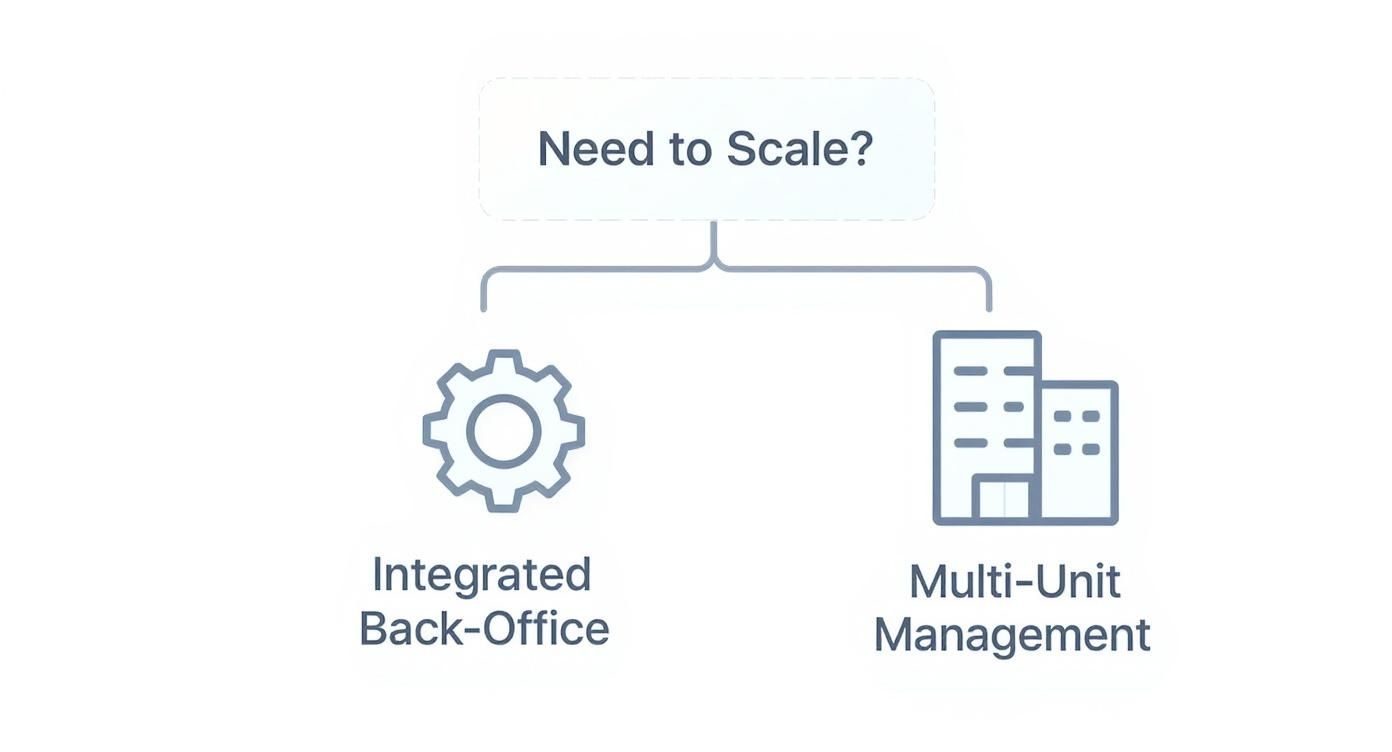
This is where advanced capabilities come in. They turn your POS from a simple tool for daily transactions into a strategic hub for growth. Choosing a system with an eye on the future means you are investing in a platform that can handle more complexity without forcing you to rip everything out and start over in a year or two.
Integrated Back Office Systems
As you grow, so does the mountain of admin work. An integrated back-office system is the answer. It connects your POS directly to the other software that keeps your business running, think accounting, payroll, and supplier management. This creates a single source of truth for your entire operation.
Instead of spending hours manually exporting sales data into QuickBooks or cross-referencing supplier invoices with inventory reports, the system handles it automatically. This does not just save time; it dramatically cuts down on the kind of human errors that can quietly kill your margins.
Franchise and Multi-Unit Management Platforms
If you are dreaming of opening a second, third, or tenth location, a standard POS just will not cut it. You need a franchise and multi-unit management platform. These are specialized POS systems built to oversee an entire network of stores from one central dashboard. They are nonnegotiable for keeping your brand and operations consistent across the board.
These platforms are the key to scalable growth. They provide the centralized control needed to ensure every location delivers the same consistent experience, which is the foundation of any successful multi-unit brand.
These systems give you a bird’s-eye view that is impossible to get when each store is running on its own little island. You can manage critical functions across all your locations at once.
How to Choose and Implement Your New POS System
Once you understand the different types of POS systems, the next step is turning that knowledge into a clear, confident decision. Choosing the right system is less about features and more about fit. Your concept, volume, team, and budget should drive the choice, not shiny add-ons.
A high-volume restaurant, for example, needs speed and reliability, while a boutique hotel may prioritize integrations and reporting. Start with what actually happens on your floor.
Define Your Needs and Budget
Before talking to vendors, get clear on your nonnegotiables. A short internal checklist will keep you focused and prevent overbuying.
Ask yourself:
-
What problem must this POS solve first? Inventory control, online ordering, or labor reporting?
-
What is the total cost of ownership? Look beyond upfront pricing and factor in hardware, software fees, and payment processing.
-
How easy is it for your team to learn? A user-friendly system reduces training time and adoption risk.
Prioritize Security and Compliance
Your POS handles sensitive payment data, so security is non-negotiable. Any system you consider should meet PCI Data Security Standards and clearly explain how customer data is protected.
Reputable providers will be transparent about safeguards like tokenization and point-to-point encryption (P2PE). If security explanations are vague or evasive, that’s a red flag.
Plan for a Smooth Implementation
A successful POS launch is all about preparation. Rushing implementation is the fastest way to create chaos.
Focus on three essentials:
-
Data migration: Transfer products, pricing, and customer data with your provider’s support.
-
Hardware setup: Test terminals, printers, and card readers before going live.
-
Staff training: Hands-on training is critical. Clear workflows and simple SOPs help teams adopt new systems with confidence. To get this right, you can learn how to create standard operating procedures that make adopting new tech feel like second nature for your crew.
A well-planned rollout minimizes downtime, builds trust with your team, and ensures your POS supports operations from day one.
Got Questions About POS Systems? We Have Answers.
To give you a bit more clarity, we have tackled some of the most common things operators ask when they are weighing their options.
Think of this as your quick-start guide to the essentials.
What is the difference between a POS system and a POS terminal?
Here is a simple way to think about it:
The POS terminal is just the hardware, the physical device where you ring up sales. It is the screen, the card reader, and maybe a cash drawer. But the POS system is the whole operation. It is the software that runs on that terminal, connecting everything from payments and inventory to your sales reports and customer data.
The terminal is the tool you use at the counter; the system is the command center running your entire business.
How many types of POS systems are out there?
While there are tons of variations and niche solutions, most POS systems today fit into one of seven main buckets:
- Terminal POS: The classic countertop setup you see in most retail shops and restaurants.
- Mobile POS: Systems that run right on a smartphone, perfect for food trucks or paying at the table.
- Tablet POS: Flexible systems that use an iPad or similar tablet as the main hub.
- Online POS: The backbone for e-commerce and web-based ordering.
- Self-Service Kiosks: Customer-facing stations for ordering and payment.
- Multichannel Systems: Platforms that tie your online and in-person sales together seamlessly.
- Open-Source POS: Highly customizable software for operators with development resources.
Each one is built for a different kind of environment, from a traditional sit-down restaurant to a pop-up grabbing sales on the go.
What are the most common operating systems for POS devices?
You will mainly run into two big players here: Windows and Android. Windows-based POS systems have been a staple for years, especially for fixed, countertop terminals. They are known for their heavy-duty processing power and ability to play nice with a huge range of business software.
On the other hand, Android-based systems have exploded in popularity, especially for mobile and tablet setups. Operators love them because they are flexible, incredibly user-friendly, and have a massive ecosystem of apps to choose from. Apple’s iOS is also a major force, particularly powering those sleek, iPad-based systems you see everywhere now.
Ready to build a smarter, more efficient hospitality business? At MAJC✨, we provide the community, expert-led training, and practical tools you need to hire better, retain longer, and boost your bottom line. Join a community of operators just like you and gain access to the resources that drive real growth. Start your journey with MAJC today.